A made-to-order couture label where nothing is sold off a shelf. I built a headless Shopify storefront that treats a size as a brief rather than a stock number, and keeps the shop, the studio and the WhatsApp line pointed at the same order.
- Client
- Ishikaa Jain
- Platforms
- Headless Shopify · Web
- Timeline
- Live, with releases since
- Year
- 2026

41
Pieces live, imported from the client's own workbook
₹9,000 – ₹1,52,000
Price range the catalogue has to hold
8
Measurements captured before a piece reaches the bag
Nothing in this catalogue is stock. A short kurta with flared pants is ₹9,000 and the Jhumar handwork mermaid skirt is ₹1,52,000, and every piece is cut after the order, not before it — the announcement bar says so outright: made to order, every piece cut to your measurements. That breaks the assumption a normal store is built on, where a size is a number in a warehouse and Add to Cart is the end of the conversation. At ₹1,52,000 the shopper does not want a checkout, she wants a fitting, a fabric in her hand and someone who will tell her what can be changed. Almost all of that was already happening on WhatsApp and in the studio, so a website that could only take card payments would have been a brochure sitting next to the real business. The site had to carry a measurement, a question and an appointment as seriously as it carries a transaction. And it had to do all of it while Ishikaa, not a developer, stays in charge of what the home page says.
- 01
I built the storefront as a headless Next.js 15 app on Vercel reading the Shopify Storefront API, and left Shopify as the till, the catalogue and the admin. The tradeoff is that I own every page — a theme would have given me a product page for free — but a theme's product page is exactly the part that could not stay standard here.
- 02
Add to Cart does not add on the first press. It opens a measurement sheet with eight fields — chest, waist, hip, inseam, shoulder, sleeve length, bottom, armhole — pre-filled from the chosen size, and only finishes the add once she saves. Measurements are the order, so they are collected while she is still looking at the garment rather than chased over email a week later.
- 03
Those values travel as cart line attributes named with a measurement. prefix, which the server action filters on and Shopify shows as labelled rows against the order line. It also fixes a real bug: most pieces are a single Shopify variant with the size carried in the attributes, so without them the cart folds two sizes of one kurta into one line of quantity two while the order Shopify records has them as two.
- 04
"Visit store (book an appointment)" goes to an in-app route under the product, not to an external calendar. It carries the handle and the chosen size through, so the booking page shows that garment, prices the variant she actually picked rather than the cheapest one, and then mounts a Cal.com inline embed for ishikaajain/personal-appointment. The whole route is noindex — a booking flow tied to one product has no business in search results.
- 05
"Customise it" is a wa.me link with the message already written: "Hi, I'd like to customise: <garment name>". The number lives in one exported constant shared by the footer, the mobile menu and this button, because the way a customer ends up messaging a dead number is three copies of it drifting apart. It lands in the Interakt business inbox, not on someone's personal phone.
- 06
Every piece of merchandising copy lives in a Shopify metaobject rather than in the code: the announcement bar, the signup offer, the collection launch modal, the Instagram reel row, and contact form submissions. Each one has a setup script that sets access.storefront to PUBLIC_READ and turns on the publishable capability — the first because a metaobject is invisible to the Storefront API without it and fails silently, the second because Active/Draft then doubles as the on/off switch with no custom boolean and no deploy.
- 07
The launch modal's copy can contain {collection} and {discount} tokens, resolved at render from the referenced collection and the live Shopify discount. Neither is stored as text, so renaming a collection or dropping a discount from 10% to 5% cannot leave the popup promising something checkout then refuses.
- 08
Navigation filters by tag, not by collection. A piece is women's and a kurta set and georgette and party wear all at once, and a collection per combination would be unmanageable, so the mega menu composes queries like tag:"women" AND tag:"kurta-set". Each tag is quoted because Shopify's search syntax reads a bare hyphen as an operator and hyphenated tags are the norm here.
- 09
The client had already filled a Google Sheets workbook with one tab per product, labels down column A. Rewriting 24 tabs into my flat CSV template was the other option; meeting their format was the cheaper side to bend, so the importer reads both and dispatches on file extension. It tolerates "Rs 35000", "Rs. 60,000" and "Rs 1,52,000" by stripping every separator instead of interpreting it, because that last one is Indian grouping for 152000 and naive parsing reads it as 1.52. Each product goes in as one productSet call, which upserts on handle, so the corrected sheet the client always sends after the first pass updates the products instead of duplicating them.
- 10
Where the workbook was thin, I derived rather than invented. Gender and garment type come out of fixed positions in the SKU (IJ-MTO-W-3PC-001-GL-XS → women, and 3PC broken by the title because five are kurta sets and one is a skirt set), fabric from words in the free text, occasion from the category. All of it is written into a flat review sheet marked as derived, so a wrong guess is a cell the client corrects rather than a bug I have to chase.
- 11
The Admin API credentials are a Dev Dashboard app, which is issued a token that expires in 24 hours rather than a long-lived shpat_ one. So the token is exchanged with the client credentials grant, cached with a 60-second margin so a request cannot pick one up mid-expiry, and guarded by a single in-flight promise so a cold instance does not fire one exchange per concurrent caller.
- 12
Indexing is gated on purpose. The canonical origin comes from one environment variable that every canonical URL, OG image, JSON-LD @id and the sitemap derive from, so moving the site to its own domain is a dashboard change rather than a release. While the flag is off, robots.txt still allows crawling but publishes no sitemap — a blocked page can never be read, so Google would never see the noindex and could index the bare URL anyway.
- Reading the business before the brief
I started from where the selling already happened: Instagram, WhatsApp and the studio in Mumbai. That is what decided the shape of the product page — measurements, an appointment and a customise message sit beside Add to Cart rather than behind a contact form. The commerce plumbing was the easy half.
- Getting the catalogue in
The 41 pieces arrived as a workbook with one tab each and no taxonomy. I wrote an importer around the client's format, then a second script that flattens every tab into one reviewable row and fills in the gender, garment, fabric and occasion columns the navigation needs. Everything imports as draft, because nothing should reach a live storefront on the strength of a parsed spreadsheet.
- The product page
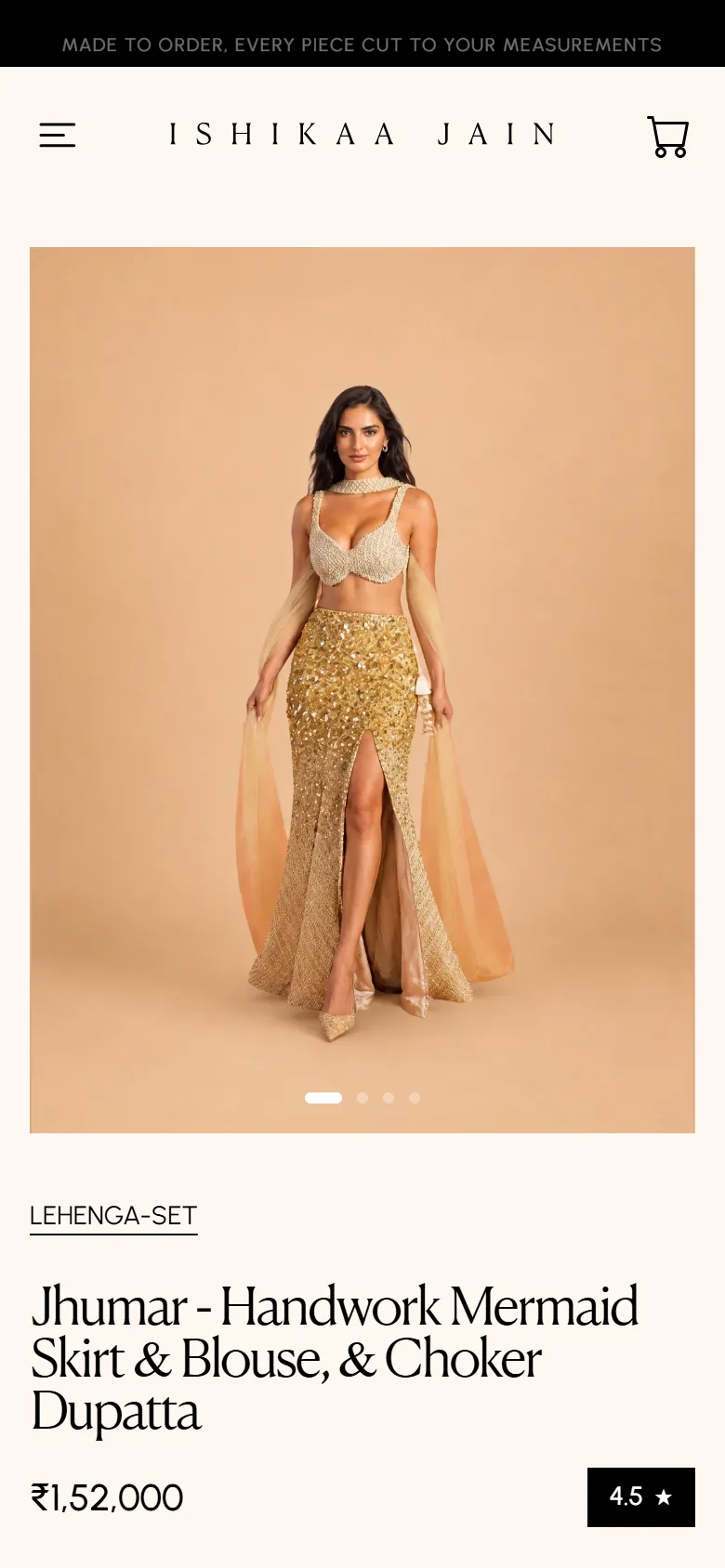
This is the page the project lives or dies on. The measurement sheet gates the add, the size follows the shopper into the appointment route, Judge.me supplies the rating badge, and the accordions read fabric and policy text out of Shopify metafields with honest fallbacks when a field is empty. Size runs XS to XXL with per-size defaults so nobody faces eight blank boxes.
- Booking, under the product
I resisted linking straight out to Cal.com. A bare calendar loses the garment, so the appointment route rebuilds the piece — image, price for the selected size, boutique, duration, what the session includes — next to the inline embed. The namespace, event slug and mount id all derive from one booking config, which stopped two components pointing at two different Cal accounts.
- Handing the content over
Then I moved everything Ishikaa would want to change out of the code: the announcement lines, the signup offer, the launch modal, the reel row, the home collections. Each has a documented setup script and is edited in Shopify admin → Content → Metaobjects. Collections are smart collections driven by tags, so a new piece files itself instead of relying on someone remembering.
- Syncing and SEO
One webhook URL takes every topic, verifies the HMAC, and busts the matching Next cache tag for products, collections and discounts; customer events sync into Supabase with failures recorded rather than dropped. Each page declares its own canonical through a shared helper, since without one every page silently inherits the home page's and claims to be it.
- Holding it at the gate
The store is live at ishikaajain.com. Search indexing is the one switch still to flip: the deployment is serving the real domain but the canonical origin and the indexing flag are still set to the development values, so the store is invisible to Google until those two environment variables are updated.
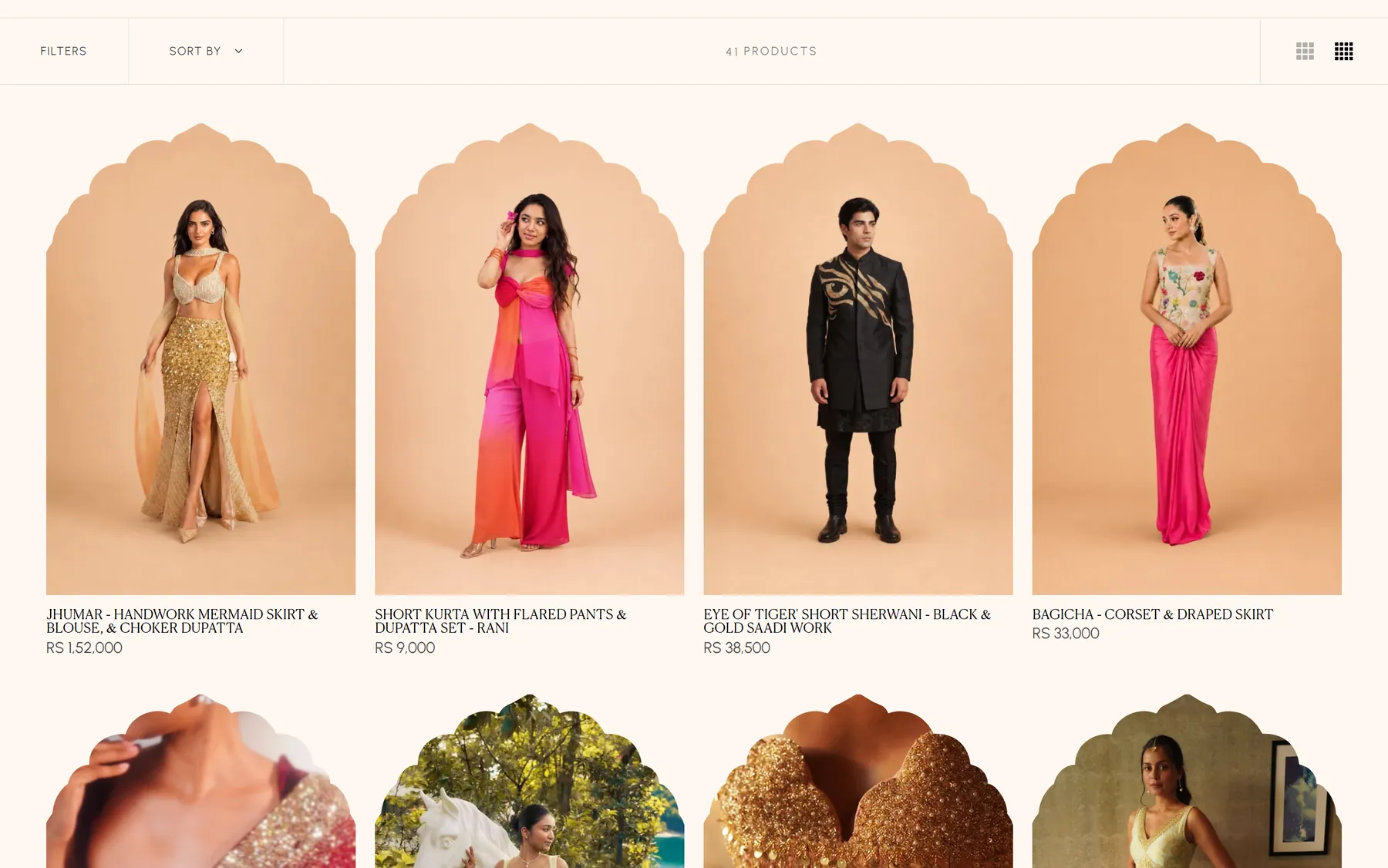
41 pieces in arch-framed cards, from a ₹9,000 kurta set to a ₹1,52,000 mermaid skirt
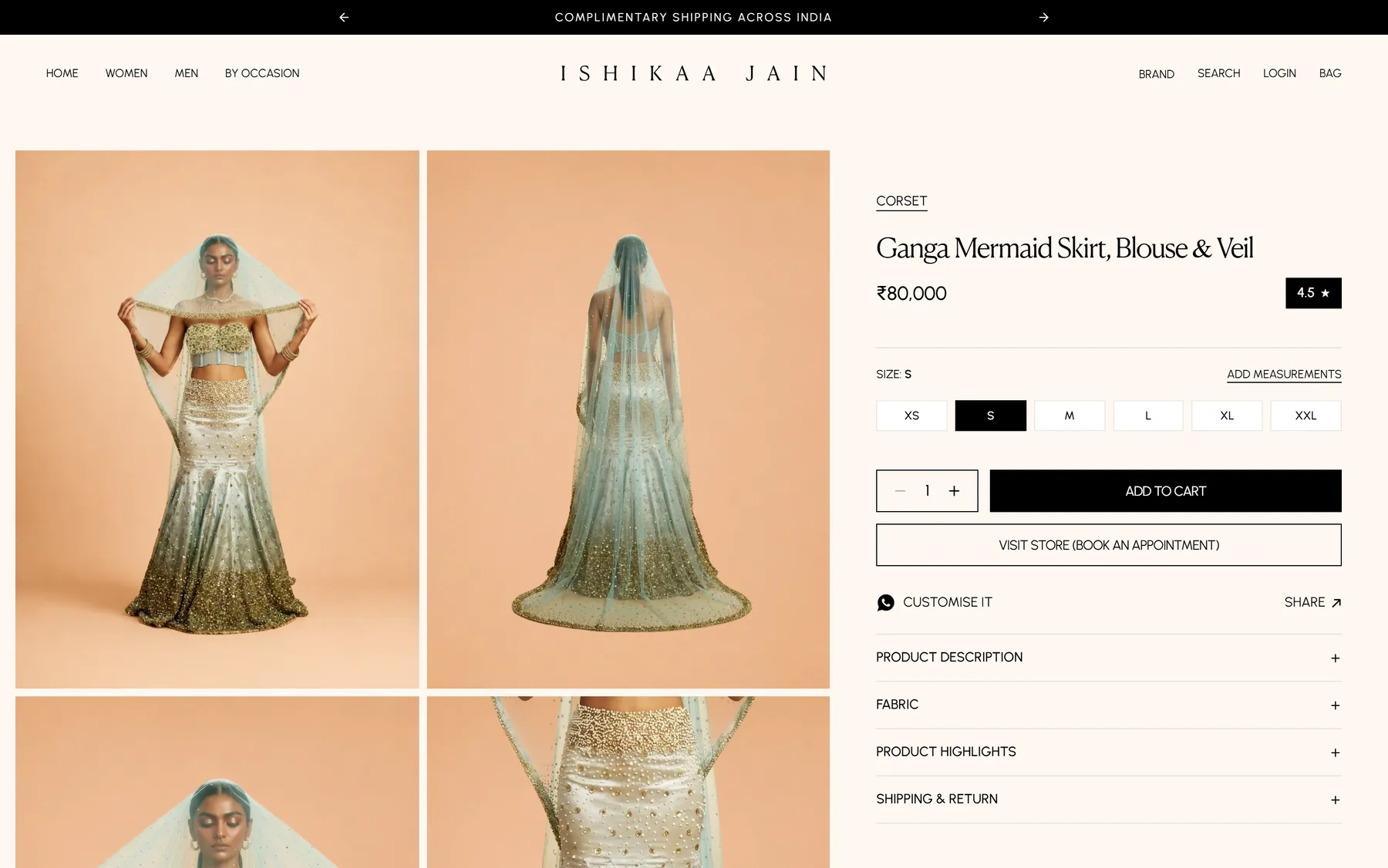
A product page: sizes XS to XXL, add measurements, book an appointment, customise on WhatsApp
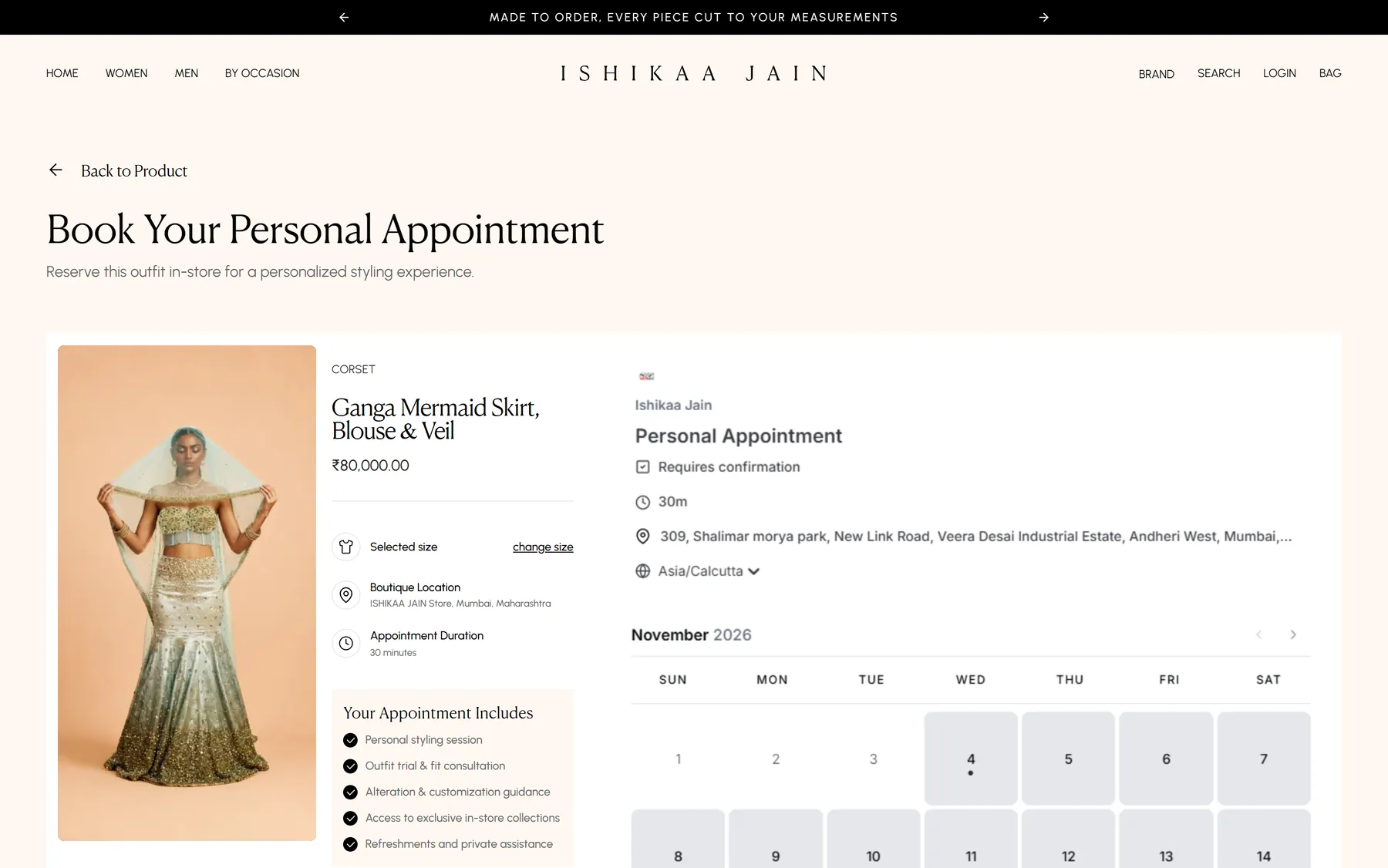
The appointment route, with a Cal.com slot scoped to that one piece
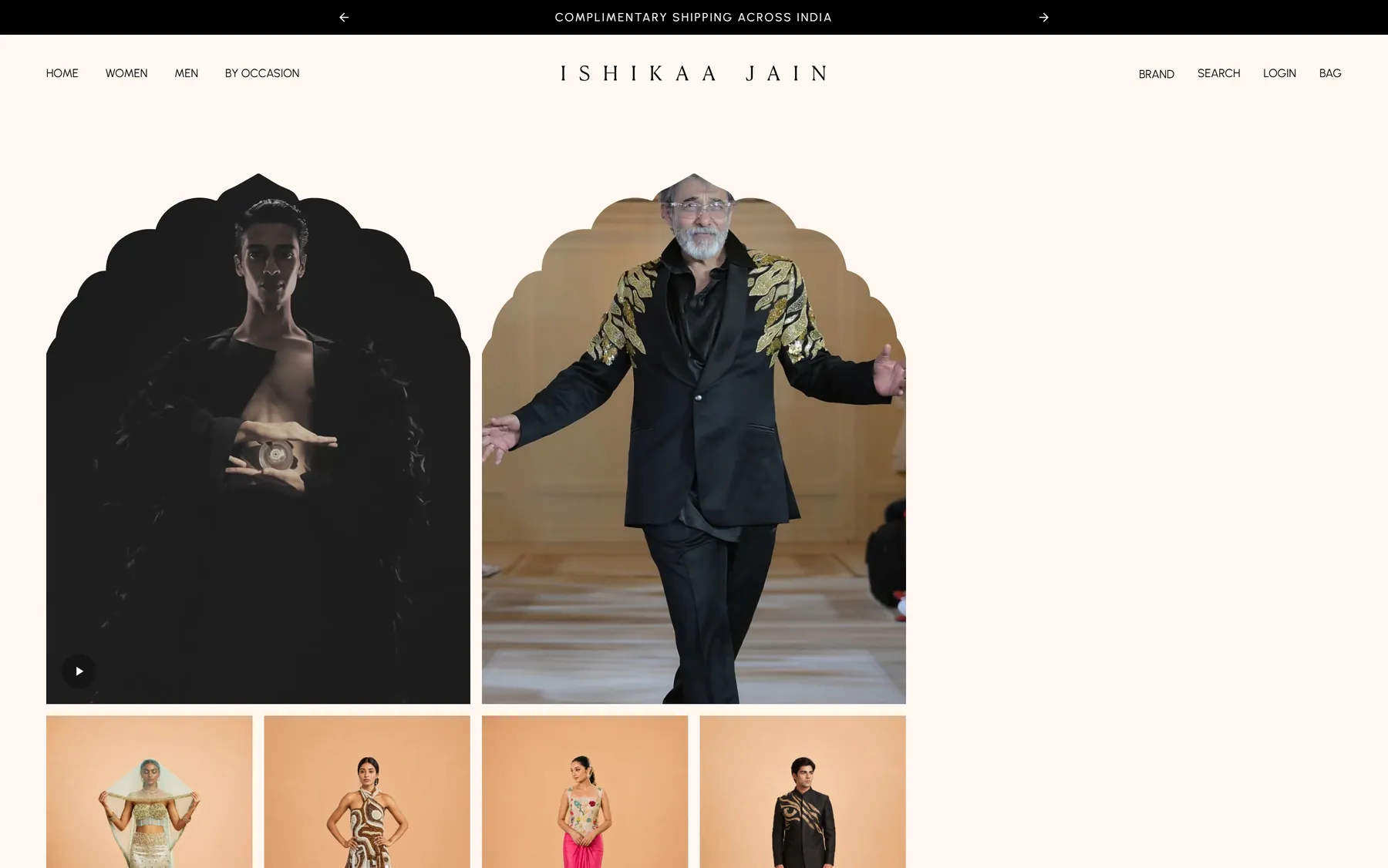
The lookbook, mixing runway video with campaign stills

The brand story page
On a phone, where most of the traffic is

The store is live at ishikaajain.com, with all 41 pieces up and every price from ₹9,000 to ₹1,52,000 rendering with Indian grouping. A shopper can pick a size, give her measurements, and either add the piece to the bag with those numbers attached to the order line, or book a 30-minute fitting for that exact garment at the Mumbai store, or open WhatsApp with the customisation message already written. Ishikaa can change the announcement bar, the offer, the launch modal and the Instagram row from Shopify admin without me, and a corrected product sheet can be re-imported over the top of the old one without duplicating anything.
Scope
Headless storefront architecture, Product page and made-to-order flow, Measurement capture to Shopify order line, Per-product appointment booking, Spreadsheet-to-Shopify product import, Shopify metaobject content model, Tag-based catalogue navigation and filters, Customer accounts and email OTP auth, Cart, checkout handoff and discounts, Reviews integration, Webhooks, caching and cache invalidation, Technical SEO and structured data
Stack
Next.js 15 (App Router), TypeScript, Tailwind CSS, Shopify Storefront API, Shopify Admin GraphQL API, Shopify metaobjects and metafields, Supabase (auth and sync), Cal.com embed, Judge.me, Upstash Redis, Zustand, Framer Motion and GSAP, Vercel
Want results like this? Tell me about your project.
- Projects from $500
- Reply within one business day
- Free, no obligation
Next case study
The Soul Foods cooking oil store