Apple opened App Store submissions for iPhone Duo apps on 5 October, shipped an iPhone Duo simulator in Xcode 27.1 on 15 October, and the phone itself goes on sale on Friday 23 October. Since then the question I get from clients in Mumbai and New York is the same: does my app need work?
Short answer: your app will open and run on iPhone Duo without a rebuild. Whether it feels like it belongs there is a different matter, and from April 2027 Apple will ask for iPhone Duo screenshots with every submission, so you can't hide it for long. Below is what actually changes, what I'd fix first, and roughly what it costs.
What is different about the iPhone Duo
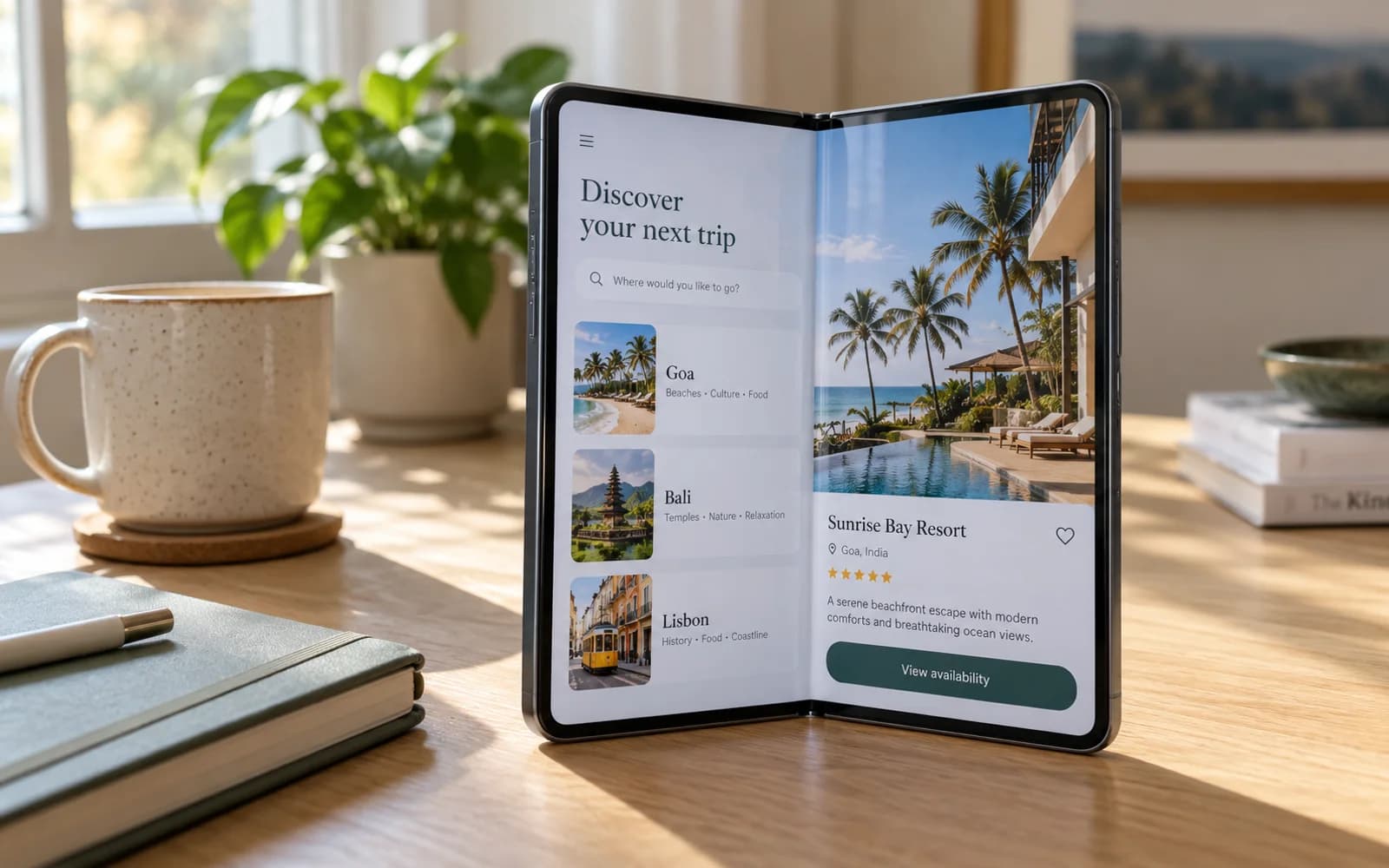
It's a book-style foldable. Closed, you use a narrow outer screen like a normal iPhone. Open, you get a much wider, almost square inner screen. Early reports put them at about 5.4 and 7.6 inches. For an app, three things matter:
- Two very different shapes. A tall, narrow phone screen and a near-square tablet-like screen, on one device, often within the same session.
- Live switching. People open and close the phone while your app is running. Your screen has to reflow without losing state, restarting a video or dropping what someone just typed.
- A fold down the middle. The inner screen has a crease. Apple's guidance and every developer playbook so far say the same thing: don't put buttons, key text or the focal point of an image right on it.
Apple's own advice at WWDC was to design for 'a dynamic range of sizes and aspect ratios', not for specific devices. If your app already handles iPad split view well, you're most of the way there.
Will my existing app work?
Yes, it will install and run. How good it looks depends on how the UI was built:
| How the app was built | What you'll likely see when unfolded | Effort to fix |
|---|---|---|
| SwiftUI with adaptive layouts | Mostly fine. Lists and forms stretch, some screens look sparse | Low |
| UIKit with Auto Layout and size classes | Usually fine, but phone-only screens look stretched | Low to medium |
| Hard-coded frames or phone-only assumptions | Clipped content, huge gaps, misplaced buttons | Medium to high |
| Flutter | Fills the screen. Fixed widths and phone-only breakpoints show up quickly | Low to medium |
| React Native | Fills the screen. Layouts tied to Dimensions at launch can break on fold | Low to medium |
| Games and full-screen video | Letterboxing or odd cropping on the near-square screen | Varies |
What I'd fix first
If you have limited time before launch, this is the order that gives the most value per hour:
- Test the fold and unfold in the simulator. Open your five most-used screens in Xcode 27.1's iPhone Duo simulator, fold and unfold on each, and note anything that resets, jumps or clips. This takes an afternoon and tells you how big the job is.
- Keep state across size changes. Forms, video playback, scroll position and in-progress checkouts must survive the change. This is the bug users notice and review-bomb.
- Cap your reading width. Text that runs edge to edge on a near-square screen is hard to read. Limit content to a comfortable width and centre it, or add a second column.
- Add a two-pane layout where it's natural. List and detail (inbox, products, chats, courses) is the classic win: list on the left, the selected item on the right. You don't need it everywhere.
- Move things off the crease. Check primary buttons, video controls and image crops on the inner screen. Nothing important should sit on the centre line.
- Update store assets. Plan iPhone Duo screenshots now. They become mandatory for submissions from April 2027, and an unfolded screenshot showing a proper two-pane layout is good marketing on its own.
Native, Flutter and React Native notes
Native iOS (SwiftUI and UIKit)
Lean on what Apple already gives you: size classes, NavigationSplitView in SwiftUI, and UISplitViewController in UIKit. Most of the work is removing assumptions that the screen is always tall and narrow. If you need help here, this is the core of my iOS app development work.
Flutter
Flutter apps redraw to the new size automatically, which is a big head start. Build layouts on LayoutBuilder or MediaQuery breakpoints rather than fixed widths, and keep state in your state management layer rather than inside widgets that get rebuilt. If you already handle tablets and Android foldables, the iPhone Duo is mostly a testing job. More in my Flutter app development page.
React Native
Use the useWindowDimensions hook instead of reading Dimensions once at start-up, so layouts react when the phone opens. Check any third-party libraries that cache screen size, especially bottom sheets, carousels and video players. See React Native app development.
What it costs to make an app fold-ready
For most apps this is an update, not a rebuild. Typical ranges I'd expect, depending on how the app was built:
| Scope | What's included | Senior independent (USD) | Senior independent (INR) | Time |
|---|---|---|---|---|
| Audit | Simulator pass on key screens, written list of issues and fixes | $300 – $600 | ₹25,000 – ₹50,000 | 2–3 days |
| Fold-safe update | State preservation, reading widths, crease fixes, new screenshots | $800 – $2,500 | ₹65,000 – ₹2,00,000 | 1–2 weeks |
| Two-pane redesign | Proper adaptive layouts for main flows, design included | $2,500 – $7,000 | ₹2,00,000 – ₹5,50,000 | 3–5 weeks |
If your app is due for a refresh anyway, folding the iPhone Duo work into it is the cheapest route. I also include new device support in every app maintenance plan, which is how most of my clients handle releases like this.
Should you rush it?
Not necessarily. The first buyers of a new foldable tend to be early adopters with high spending power, which matters if your users are professionals, shoppers or subscribers. If your audience is mostly on budget Android phones, an audit now and a proper update in early 2027 is perfectly sensible.
What I wouldn't do is ignore it until April 2027, when the screenshot requirement forces a rushed job. Get the audit done, fix the state bugs, and plan the rest around your normal release cycle.
If you want me to run your app through the iPhone Duo simulator and send you a written list of what needs fixing, get in touch. I've built and maintain apps with hundreds of thousands of users, including Kahani Play, and new devices are part of the job.