I design and build websites in Next.js for businesses that have outgrown a template. Fast on a phone, set up for Google, and connected to a CMS so you can change the words and images without calling me.

From the HEIR case study
A good fit for
- Businesses whose current site is slow, dated or hard to update
- Brands that want a site that looks like the brand, not a template
- Companies running ads that need landing pages that convert
Tools I use
Next.js · React · TypeScript · Tailwind CSS · Headless CMS · Vercel
Fragrance store · 2026
HEIR sells perfume at ₹4,500 a bottle, and the store could not look like a Shopify theme. So Shopify keeps the products, orders and payments, and I built everything in front of it.
- Client
- HEIR
- Platforms
- Headless Shopify · Web
- Timeline
- Live, with releases since
- Year
- 2026
6
Products in the first collection
4.8★
Judge.me rating on the flagship scent
2
Scheduled jobs keeping Shopify in sync
HEIR is a new perfume house launching its first collection into a market where nobody knows the name yet. A bottle is ₹4,500 and the discovery set is ₹1,200, so the site has to carry the whole argument for the price: how the bottle is made, what the notes are, who composed it. A standard Shopify theme could not do that — the pages HEIR needed are long, dark, slow-moving editorial things, not a product grid with a sidebar. But the client still had to run the shop from the Shopify admin, because the person adding a product and fulfilling an order is not a developer and should never have to open a code editor. So the real problem was splitting the store in two: Shopify keeps products, inventory, orders and checkout, and everything a customer sees is mine. The second problem was accounts. Shopify's own customer accounts come with Shopify's own login screens, and HEIR wanted sign-in to happen on the site, in the site's own type.
- 01
The storefront is Next.js 15 on the App Router, reading Shopify through the Storefront API and writing through the Admin API. Nothing about the catalogue is hardcoded: products, collections, blog articles and the shop's localisation all come from Shopify at request time.
- 02
Every Shopify read is wrapped in Next's use cache with a tag and a lifetime, so product and collection queries are cached for days and localisation for hours. A Shopify webhook hits /api/revalidate, which calls revalidateTag for products or collections — the client edits a price in the admin and the site follows without a deploy.
- 03
Shop filters are driven by a naming convention rather than code. Collections whose handle starts with collection- become the category filters and ones starting with family- become the olfactive families — Ambery Oud, Aromatic Woody, Floral Fruity Musk, Fruity Floral, Oriental Gourmand. Adding a sixth family is a new collection in Shopify, not a release.
- 04
Product pages are assembled from Shopify metafields and metaobjects: notes_accords, perfumer, ingredients, product_details, shipping_information, return_policy. The accordion on a product page is built from whatever metafields exist, with defaults underneath, so a product with no perfumer note renders cleanly instead of leaving a gap.
- 05
Pricing is multi-market. Middleware reads Vercel's x-vercel-ip-country header into a country cookie, the switcher writes a country_override cookie that always wins, and both feed Shopify's @inContext directive. The country list and currencies come from Shopify's Markets settings at runtime, so a new market is a dashboard change.
- 06
Markets cost cache entries, so I collapse them. Prices only vary by currency, and sending all thirty-odd countries to @inContext would multiply the product cache for identical results — pricingCountryFor picks one representative country per currency so they share an entry. The cart still uses the visitor's real country, where shipping and tax genuinely differ.
- 07
Login is email OTP through Supabase, on HEIR's own pages, and the Shopify customer is created behind it. /api/auth/complete-signup searches Shopify by email, falls back to searching by phone when Shopify rejects a duplicate number, then retries without the phone — Shopify treats customer phone numbers as unique and the signup form should not dead-end because of it.
- 08
A user_mappings table in Supabase joins the Supabase auth user to the Shopify customer id, with partial indexes on email, phone and user id filtered to is_active = true. The Shopify webhook keeps it honest: customers/create fills in the Shopify id on a pending row, customers/update syncs name and email, and customers/delete soft-deletes rather than dropping the row, so a deletion in Shopify never silently orphans a login.
- 09
The webhook verifies Shopify's HMAC-SHA256 signature against SHOPIFY_WEBHOOK_SECRET before it parses the body, and Indian phone numbers are normalised to +91 on the way in, because the same number arrives from Shopify in several shapes.
- 10
Reviews are Judge.me, read server-side by product handle and folded into the product page's Product JSON-LD as aggregateRating, but only when there is at least one review — Google drops the whole rich result for an empty rating. ATLAS currently shows 4.8. Customers can upload up to five photos per review; those go to a Supabase storage bucket behind a login check and a rate limit.
- 11
Public endpoints sit behind Upstash Redis sliding windows, tightest on the unauthenticated user-check route, because it is the one an attacker could use to enumerate phone numbers and every attempt costs a database query. If Upstash is not configured the limiters return null and the site still runs, which keeps local development simple.
- 12
Two Vercel cron jobs: /api/reconcile at 02:00 daily counts failed events and pending or failed customer mappings so drift is visible instead of discovered by a customer, and /api/keep-alive on Mondays and Thursdays pings Supabase so the project is not paused for inactivity. The admin monitor page at /account/admin reads the same failed-events table, gated on a single ADMIN_EMAIL match.
- 13
The whole site could be locked pre-launch. Setting SITE_PASSWORD makes middleware redirect everything except the unlock route to /site-locked, so HEIR could share the real domain with photographers and the perfumer before the collection was public. Unsetting it opens the site.
- Deciding what Shopify keeps
I started by drawing the line: Shopify owns products, variants, inventory, orders, payments and blog content, and I own every pixel. That meant accepting Shopify's hosted checkout rather than rebuilding payments, which is the right trade for an Indian store — UPI, cards and the rest arrive maintained, and I do not hold card data. Everything upstream of the checkout button is mine.
- The Shopify data model
Before any UI I worked out how a non-developer would edit the pages. Long-form product content became metafields and metaobjects, the shop and family filters became a collection naming convention, and the homepage video reels became everyday_moments_video metaobjects read through the Storefront API. The test was simple: could the client change the notes on NECTRA without calling me.
- Storefront and caching
I built the Shopify client as one shopifyFetch with typed operations, then put use cache with tags and lifetimes over every read. Products and collections cache for days; the shop page is force-dynamic because it reads the country cookie and filter params per request, which makes any revalidate window a no-op there. Tag-based revalidation from the Shopify webhook is what keeps long cache lives safe.
- Accounts without Shopify's login screens
The auth flow was the slowest part, and most of the time went on failure cases rather than the happy path. Email OTP via Supabase, a Shopify customer created or matched behind it, a mapping row joining the two, and layered fallbacks for the duplicate-phone case. Session state is httpOnly cookies for the Shopify customer id plus a non-httpOnly flag so client components can tell someone is signed in without reading a protected cookie.
- Markets and multi-currency
Once the store sold outside India the single-currency assumptions had to go. Geo detection in middleware, a manual switcher that overrides it, the country list pulled from Shopify Markets rather than a constant in the code, and the per-currency cache collapse so thirty markets do not become thirty copies of the same product.
- Reviews, SEO and structured data
Judge.me went in server-side so ratings are in the HTML rather than loaded by a widget. Product pages emit Product and BreadcrumbList JSON-LD with shipping and return details, prefer the SEO title and description merchandisers set in Shopify, trim descriptions to a clean 160 characters, and carry up to four product images for link previews. The sitemap is generated from live Shopify products, collections, pages and articles.
- Launch and handover
The site ran behind SITE_PASSWORD until the collection was ready. I wrote the README as a handover document — which service does what, which ones stop the site if billing lapses, what is done in the Shopify admin and what needs a developer, and what to rotate before the keys change hands. Ownership of the domain, Shopify store, Vercel project and Supabase project transfers to HEIR, not to me.
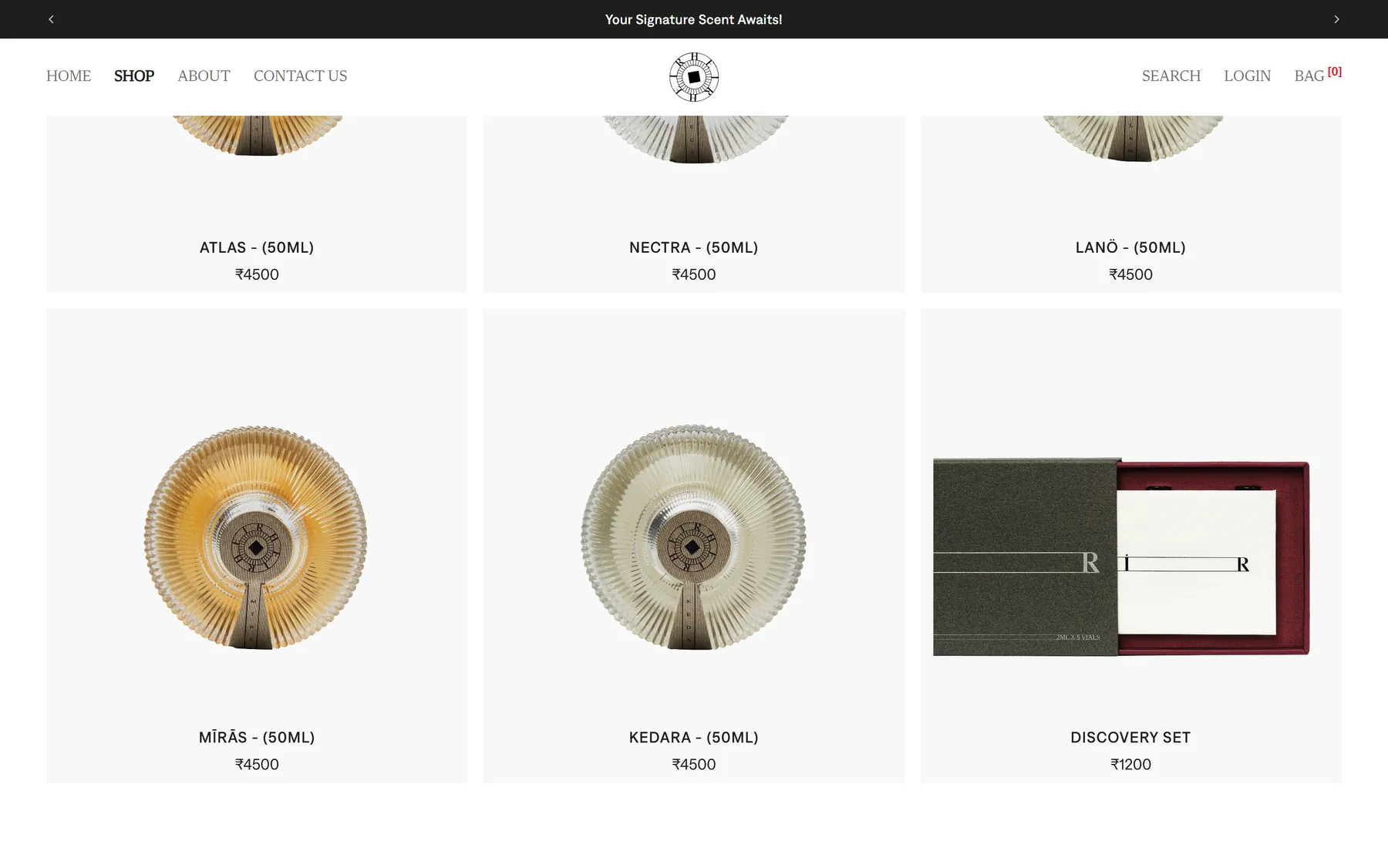
The first collection: five 50ml fragrances at ₹4,500 and a ₹1,200 discovery set
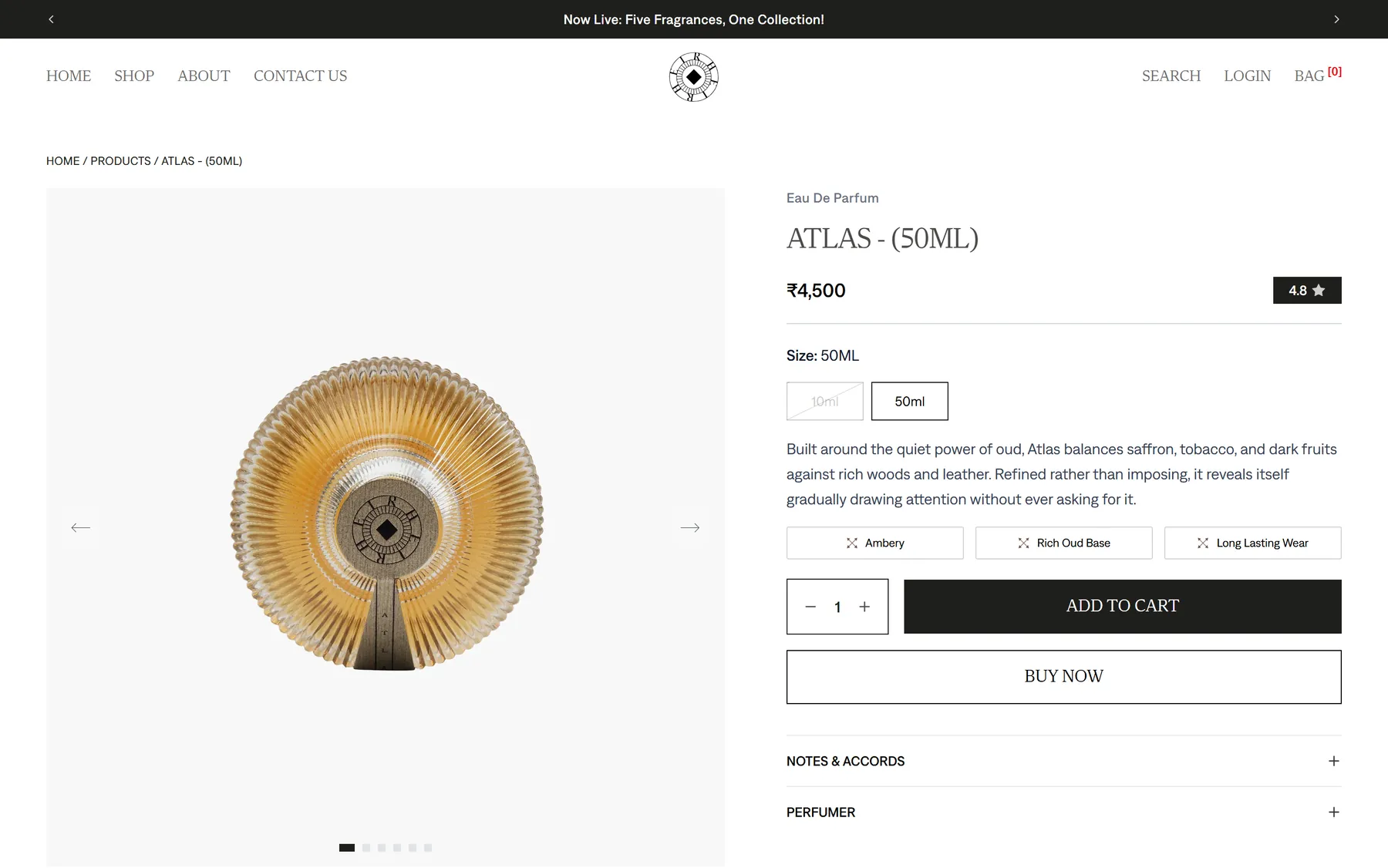
The ATLAS product page, with its size options, accord chips and Judge.me rating
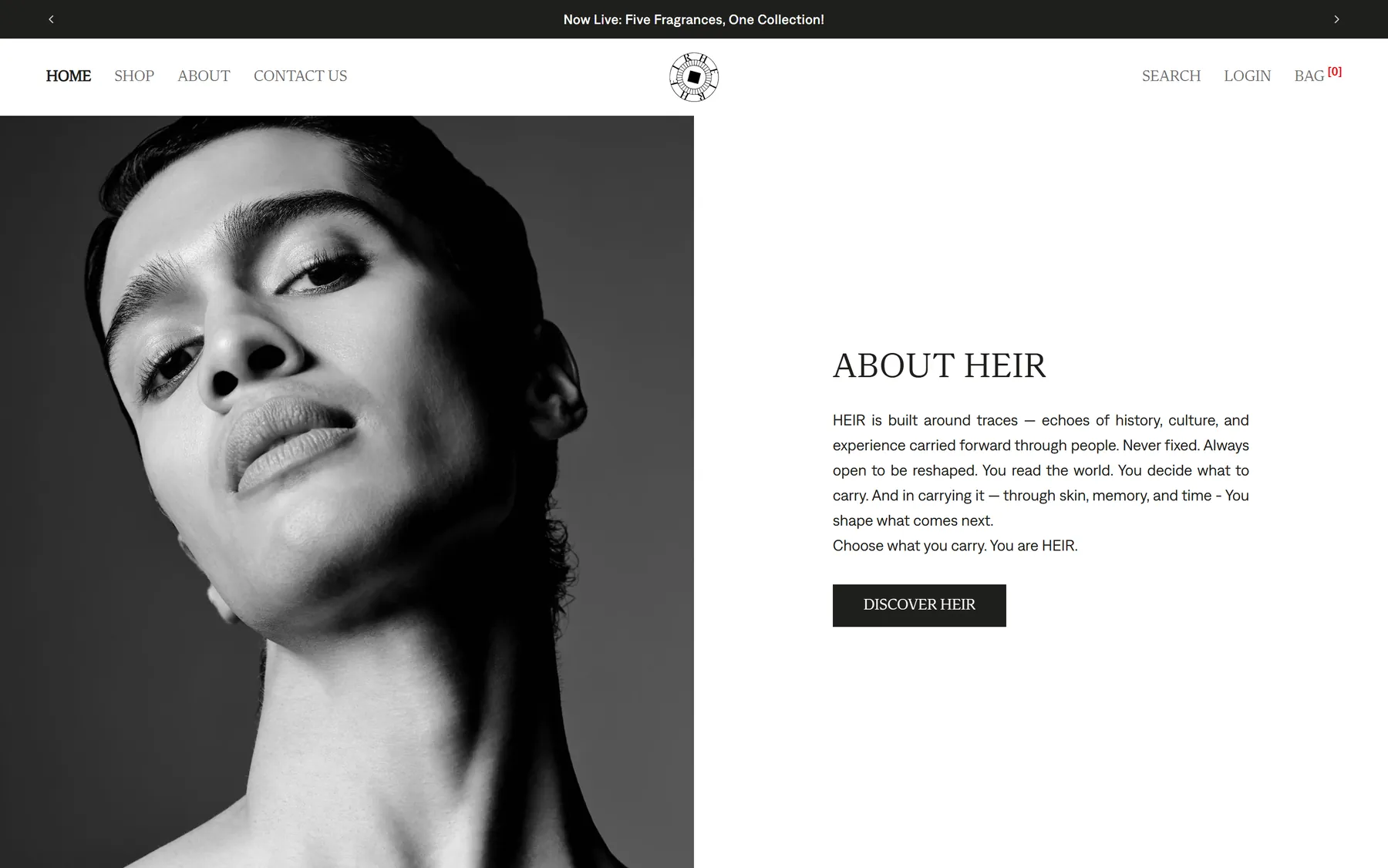
The About HEIR section on the home page

The about page, built from the brand's own photography
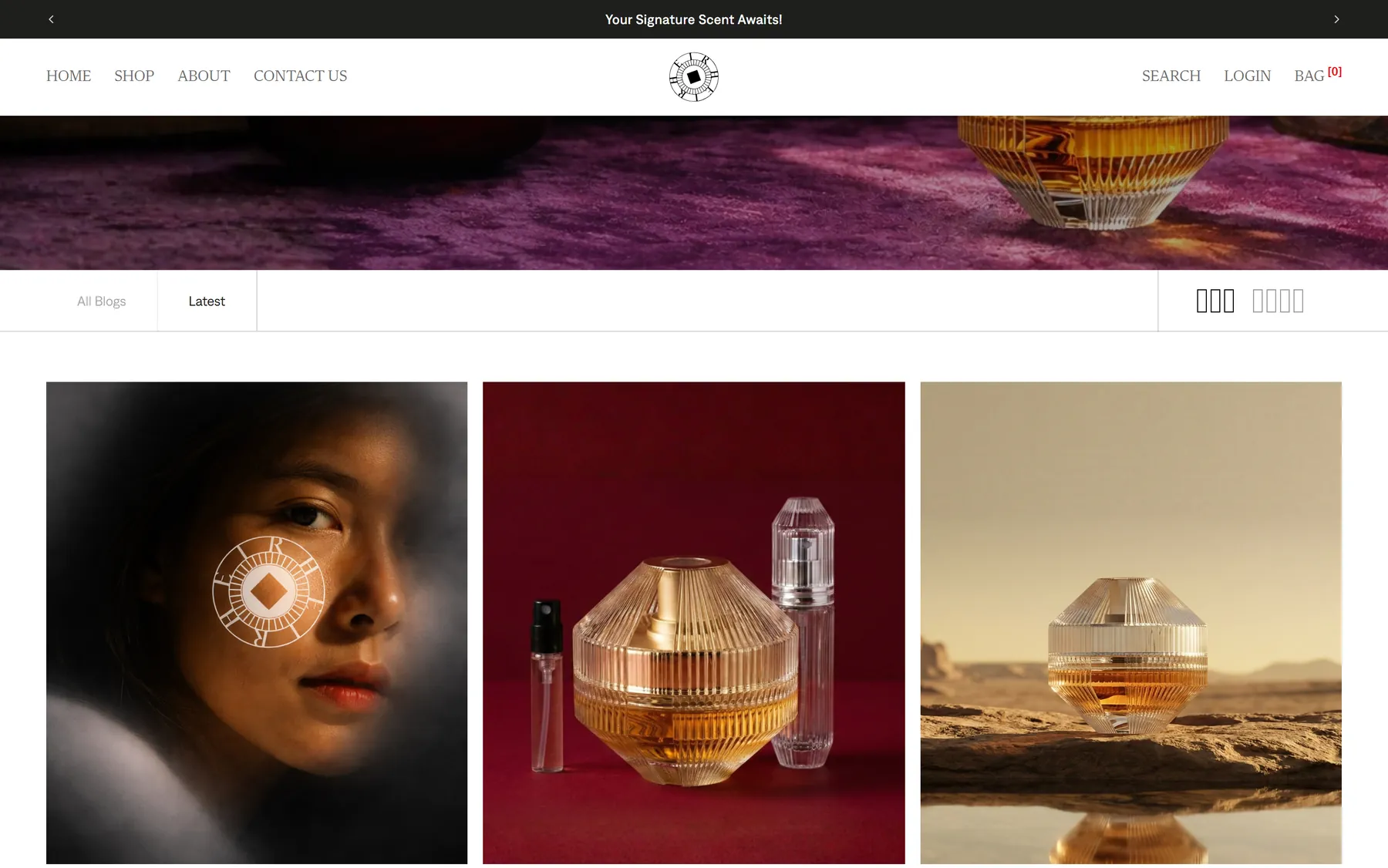
The journal, pulled straight from Shopify's blog
On a phone, where most of the traffic is

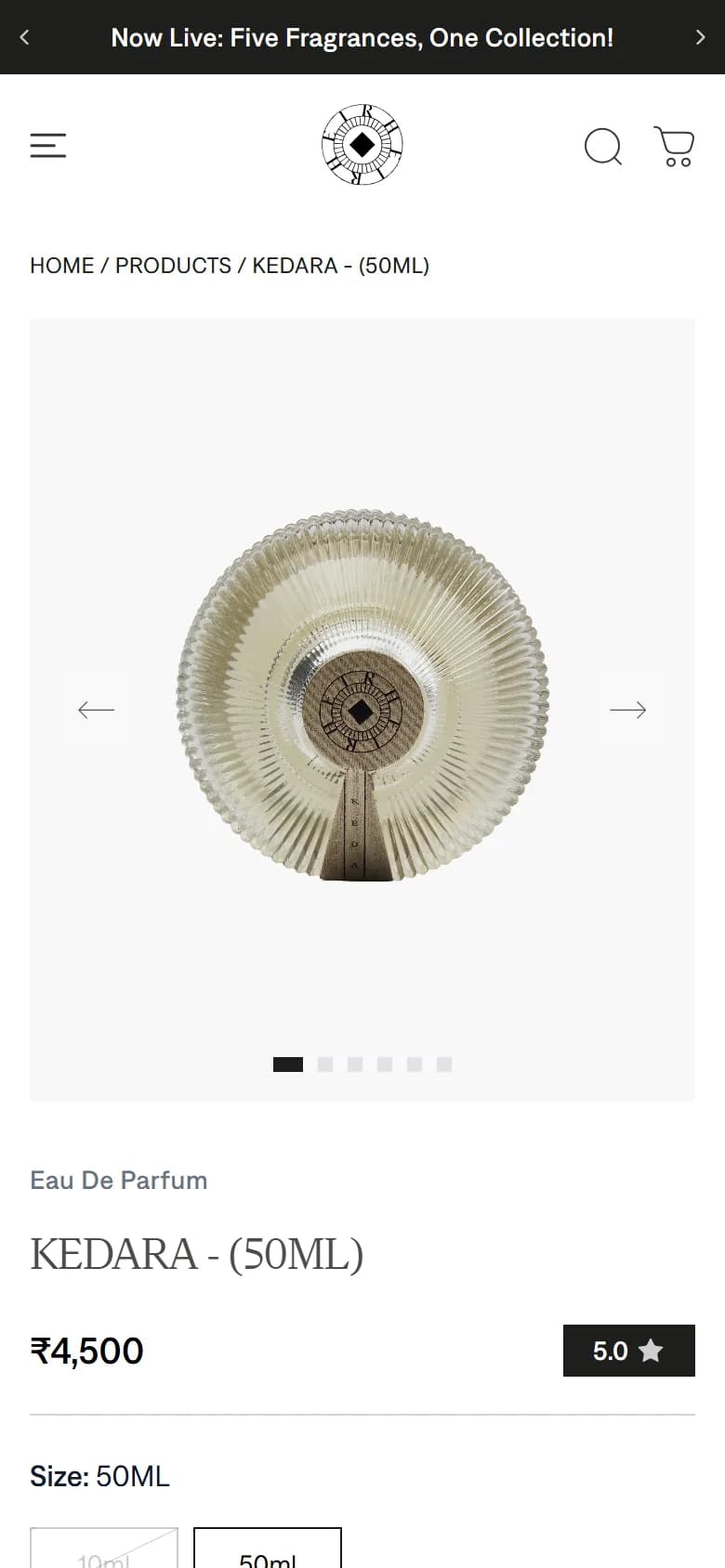
HEIR launched its first collection on heirbeauty.com: six products, five fragrances at ₹4,500 for 50ml — ATLAS, NECTRA, LANÖ, MĪRĀS, KEDARA — and a ₹1,200 discovery set for people who want to try before they commit. ATLAS carries a 4.8 rating from Judge.me reviews, which appear in the page HTML and in its structured data. Day to day the client works entirely in Shopify: products, prices, photos, stock, orders and blog posts, with the storefront following through tag-based revalidation. The things that used to need a developer — a new olfactive family, a new market and currency, the notes on a product page — are now dashboard edits. The nightly reconcile and the admin failed-events page mean a broken customer mapping shows up on a screen rather than in a support email.
Scope
Headless Shopify storefront, Shopify data modelling (metafields, metaobjects, collections), Custom auth and customer accounts, Multi-market pricing and currency, Reviews and review image uploads, Technical SEO and structured data, Caching and revalidation, Cron jobs and admin monitoring, Handover documentation
Stack
Next.js 15 (App Router), React 19, TypeScript, Tailwind CSS v4, Shopify Storefront API, Shopify Admin API, Supabase (auth, Postgres, storage), Zustand, Framer Motion, Lenis, Embla Carousel, Radix UI, Judge.me, Upstash Redis, Vercel (hosting, cron, analytics)
Cooking oil store · 2026
Seven wood-pressed cooking oils that look the same in a list and behave very differently in a pan. The storefront's whole job is making that difference easy to see before you add to cart.
- Client
- The Soul Foods
- Platforms
- Headless Shopify · Web
- Timeline
- Live, with releases since
- Year
- 2026
7
Wood-pressed oils in the range
1L / 5L
Sizes across most of the range
₹999
Free shipping threshold, set in Shopify
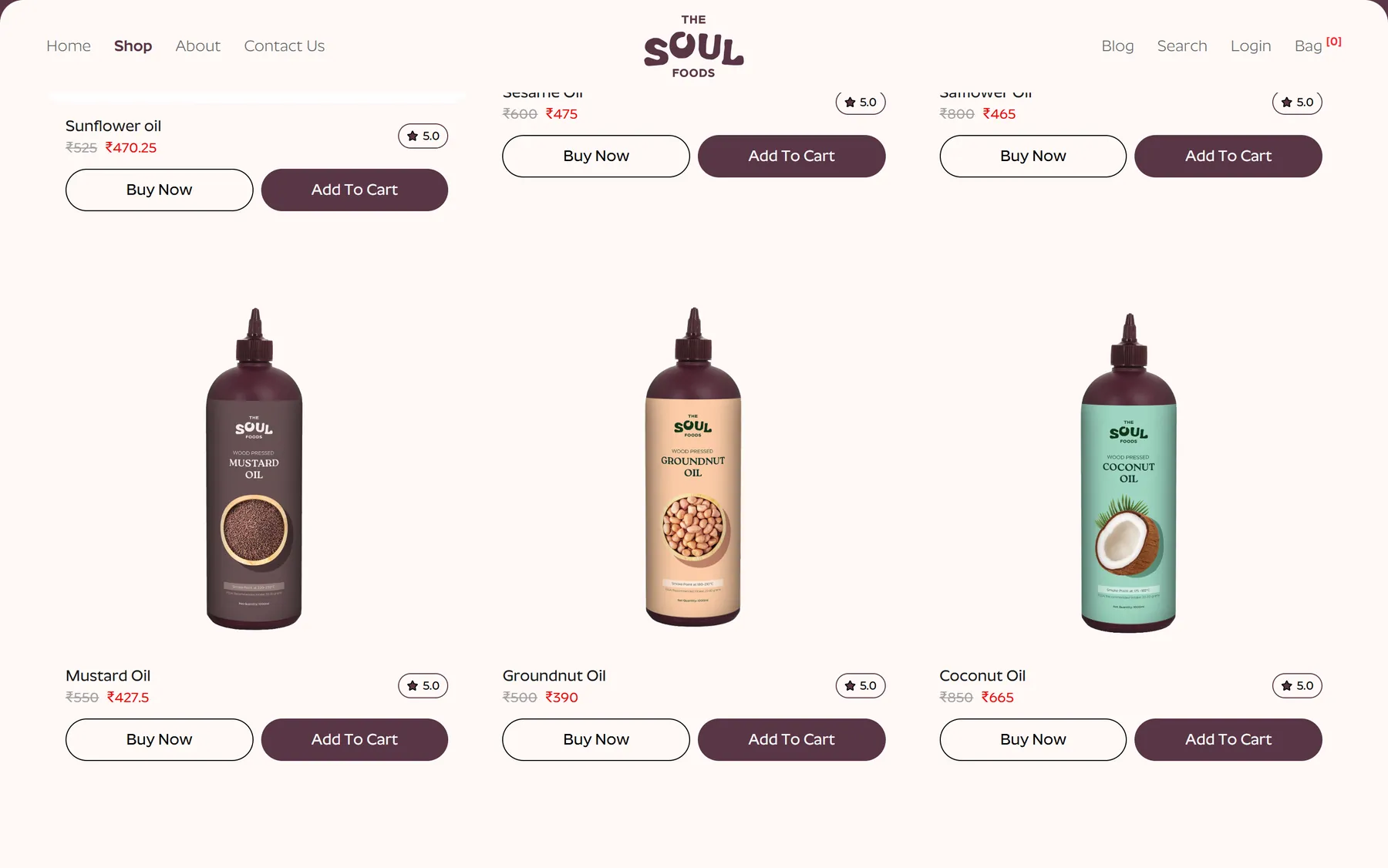
The Soul Foods sells seven cold-pressed oils — sunflower, sesame, safflower, coconut, groundnut, mustard and avocado — and in a product list they are nearly indistinguishable. Same bottle, overlapping prices, one word of difference on the label. The real difference is what each oil is for: mustard oil at ₹427.50 belongs in pickles and North Indian cooking, avocado oil at ₹1,199 belongs on a salad or under a high-heat roast, and nobody buying their first bottle knows that. On top of that, every oil is discounted off a compare-at price, sits in two sizes, and the brand sells on a specific idea — a squeeze bottle you can portion with, instead of a tin you pour from. A stock Shopify theme flattens all of it into a grid of identical cards and a size dropdown. The brief was to build a storefront that explains the range while leaving Shopify in charge of money, stock and tax.
- 01
The storefront is its own Next.js App Router app on Vercel, reading products, collections and articles through Shopify's Storefront API. Nothing about the layout is decided by a theme, and the brand's product photography gets to run full width.
- 02
Shopify keeps the parts worth not rebuilding: inventory, orders, payments, taxes, discount codes and the hosted checkout. The compare-at pricing behind every bottle — coconut oil at ₹665 down from ₹850, sesame at ₹475 from ₹600, safflower at ₹465 from ₹800 — is Shopify's own pricing, read through the API, so a sale is a price change in the admin rather than a deploy.
- 03
The collection page carries a filter drawer, a sort control and a grid-density switch. The range fits on one screen, so the useful action is not paging through results but comparing them side by side: the density switch lets someone go wide to read labels or tighten the grid to see all seven at once.
- 04
Product pages lead with the bottle, then give the size switch for 1L and 5L, the discount against the compare-at price, and the smoke point. The smoke point is the fact that decides whether an oil survives what you are about to cook, so it sits on the page rather than three paragraphs into a description.
- 05
Each product carries short, plain-language tags — Nutrient-Dense, Cold-Pressed, Gut-Friendly — instead of a nutrition table. The tradeoff is accepted deliberately: a tag is less precise than a panel, but it is read, and the detail still lives in the accordions underneath.
- 06
Reviews run on Judge.me, with the rating shown on the product page and on the cards in the grid, and a write-a-review form that accepts photos. Review images upload to Supabase storage rather than being posted straight to a third party, so a failed submission is recoverable.
- 07
Customer accounts run on Supabase with email OTP: no password to set, lose or reset, which suits a store people buy from every few months. The account area covers profile, order history and saved addresses, with orders read back from Shopify so the admin stays the single source of truth.
- 08
Merchandising the brand changes often is read from Shopify rather than written in code — the ₹999 free-shipping announcement bar, the home page's featured collections, the newsletter sign-up and the trust strip. The founders edit those in the Shopify admin they already use; the cost is one more place to look when something on the page is wrong.
- 09
Writes go through Shopify's Admin API behind the app's own API routes, never from the browser, and Shopify webhooks all land on one HMAC-verified endpoint that busts the matching Next.js cache tag. One URL and one secret to configure means a price edit in the admin reaches the live page without waiting out a cache.
- 10
A scheduled reconcile job re-checks what a dropped webhook would have missed, and an admin page lists failed events so a sync problem is visible instead of silent. Upstash Redis rate-limits the public API routes, because contact, newsletter and review endpoints are the ones that get hammered.
- 11
The contact page is a real form rather than a mailto link: name, email, an enquiry category and up to five image attachments, which matters for a food product where the complaint is usually a photo of a bottle. It sits beside a WhatsApp link, the brand's phone number and its Telangana plant address, and the submission is stored through Shopify metaobjects so nothing depends on an inbox.
- 12
The blog is Shopify-backed, with a load-more endpoint instead of numbered pages, and carries the cooking and oil-guide posts the brand uses to bring people in from search. Every page's metadata is generated from the Shopify data, so a new product or article is indexable the day it is published.
- Discovery
Started from the question a first-time buyer actually asks: which of these seven do I need? That turned into the facts that had to be on the card and the top of the product page — what the oil is for, its smoke point, and the price in each size — rather than buried in a tab.
- Design
Built the storefront around the brand's own bottle photography, a warm palette and a rounded display face, with the squeeze bottle treated as a selling point rather than packaging. Product cards show the compare-at price struck through next to the live one, since the discount is part of how the range is sold.
- Build
Next.js App Router with Tailwind and Zustand for cart state, reading from Shopify's Storefront API and writing through the Admin API. The filter, sort and density controls, the size switch and the review form were the pieces that took the most iteration, because they are the ones people actually touch.
- Catalogue and content
Loaded the seven oils, their sizes, compare-at pricing, tags and the blog into Shopify with import scripts rather than by hand, so the catalogue can be rebuilt or extended without re-typing it. The announcement bar, featured collections and policy pages went in as Shopify content the founders can edit.
- Accounts and sync
Wired Supabase email OTP for login, mapped customers to their Shopify records, and put the webhook, reconcile job and failed-events page in place. The point of that last piece is boring and important: when a sync breaks, someone can see it.
- Where it is now
Live at thesoulfoods.in with the full range, accounts, reviews and the blog working end to end. What is still outstanding is content, not engineering — the home page hero and several product accordions carry placeholder copy the brand needs to replace.
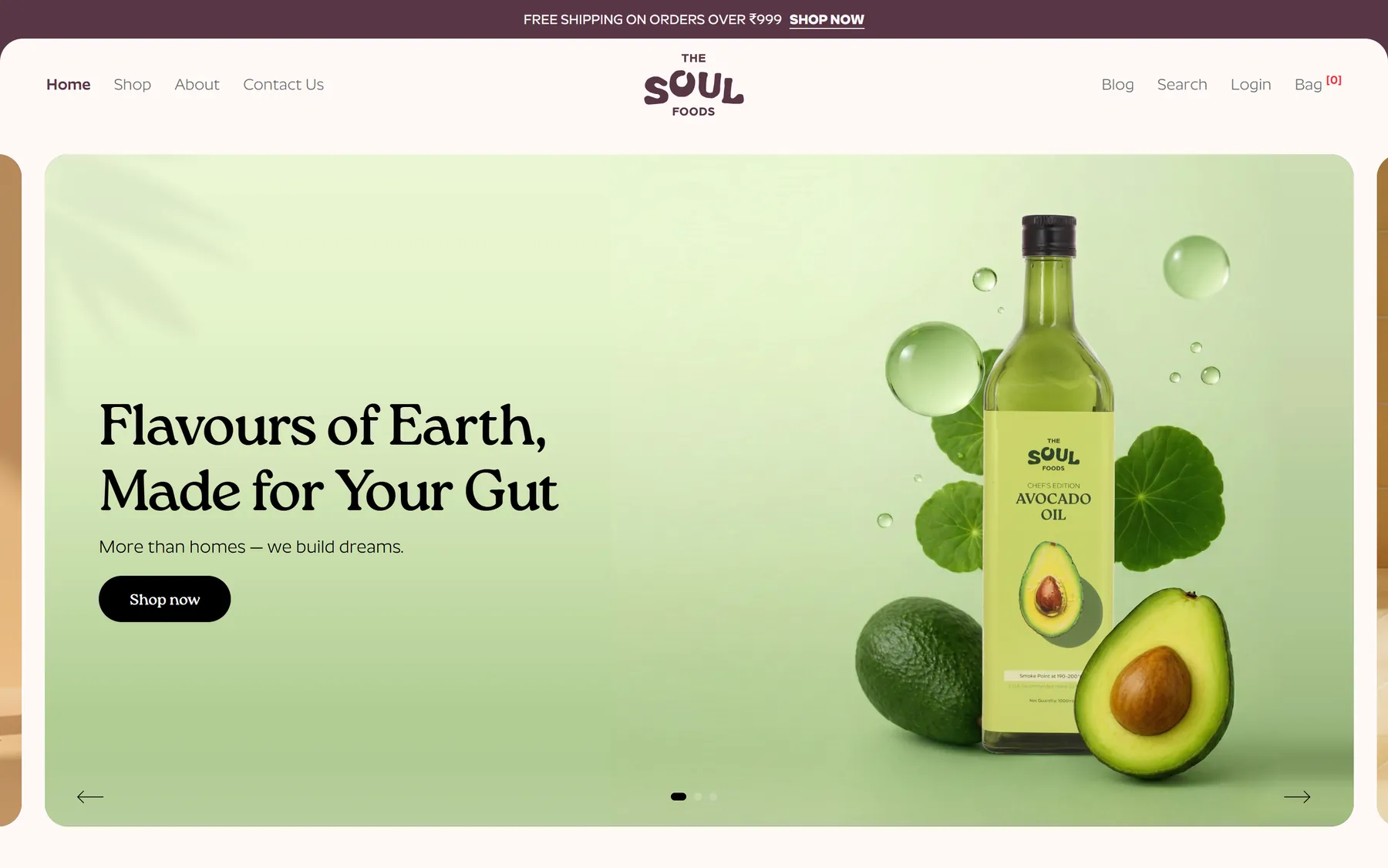
The home page, led by the bottle rather than a banner
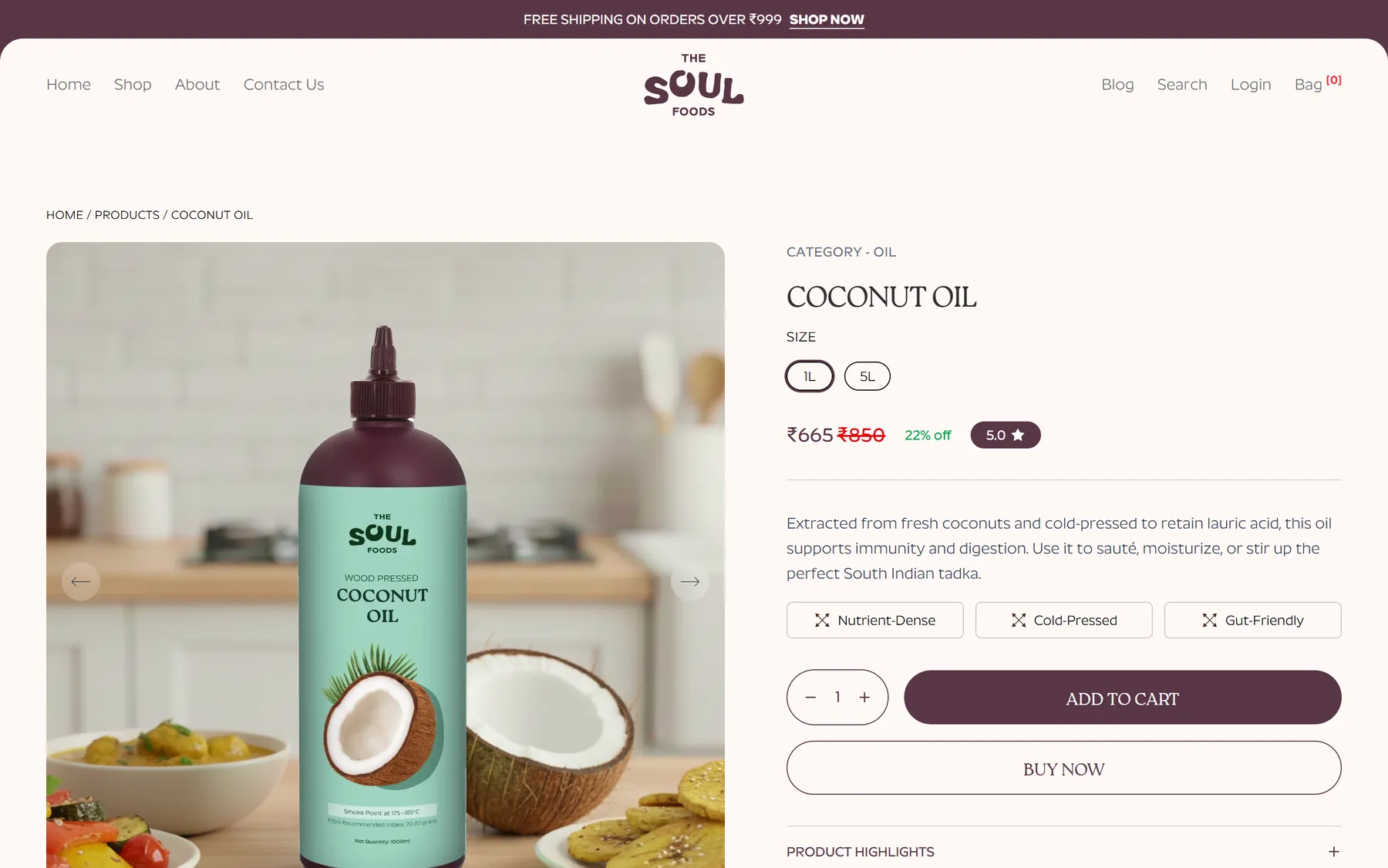
Coconut oil: the 1L and 5L switch, the discount, and the plain-language tags
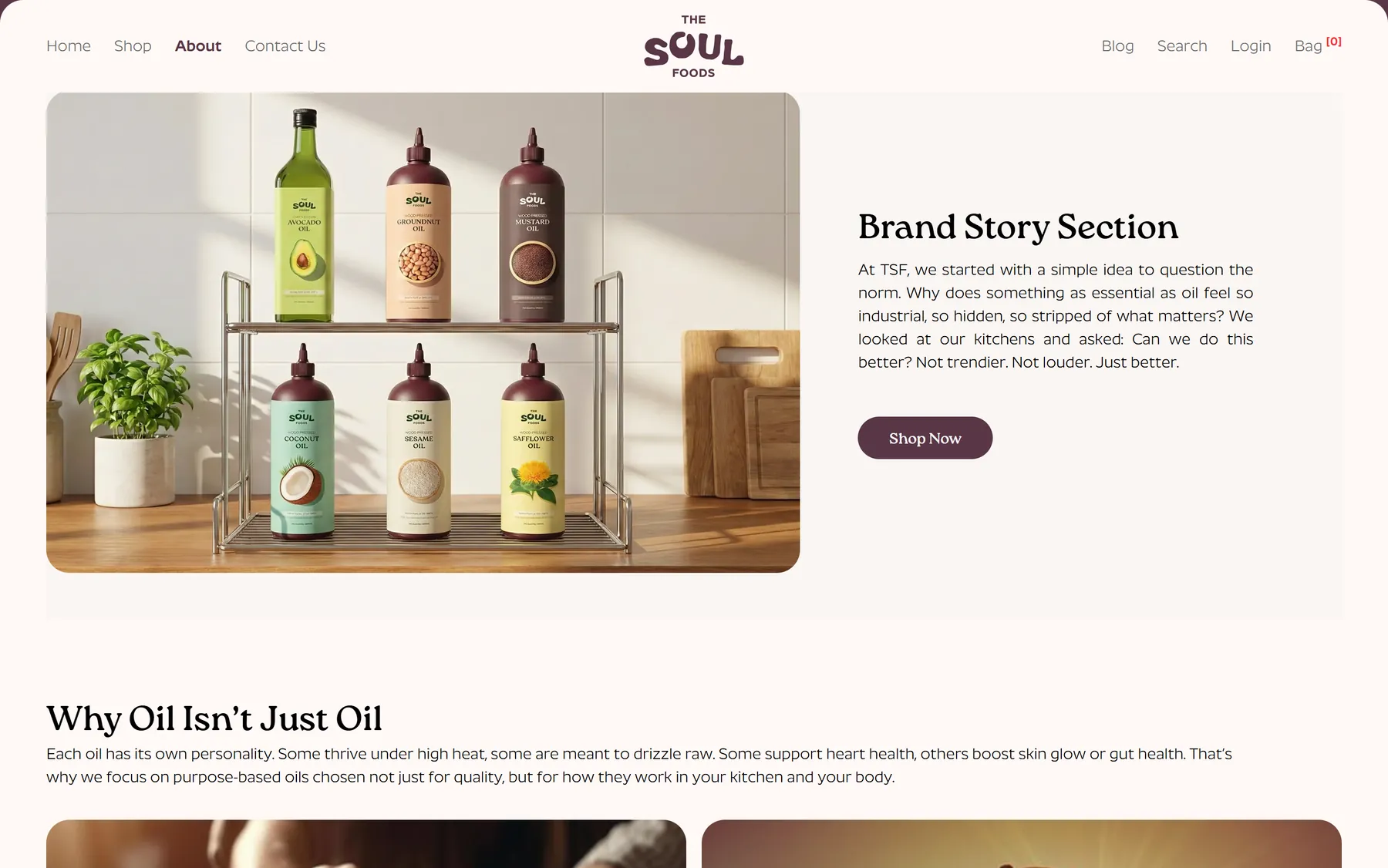
The about page, with the brand's own timeline
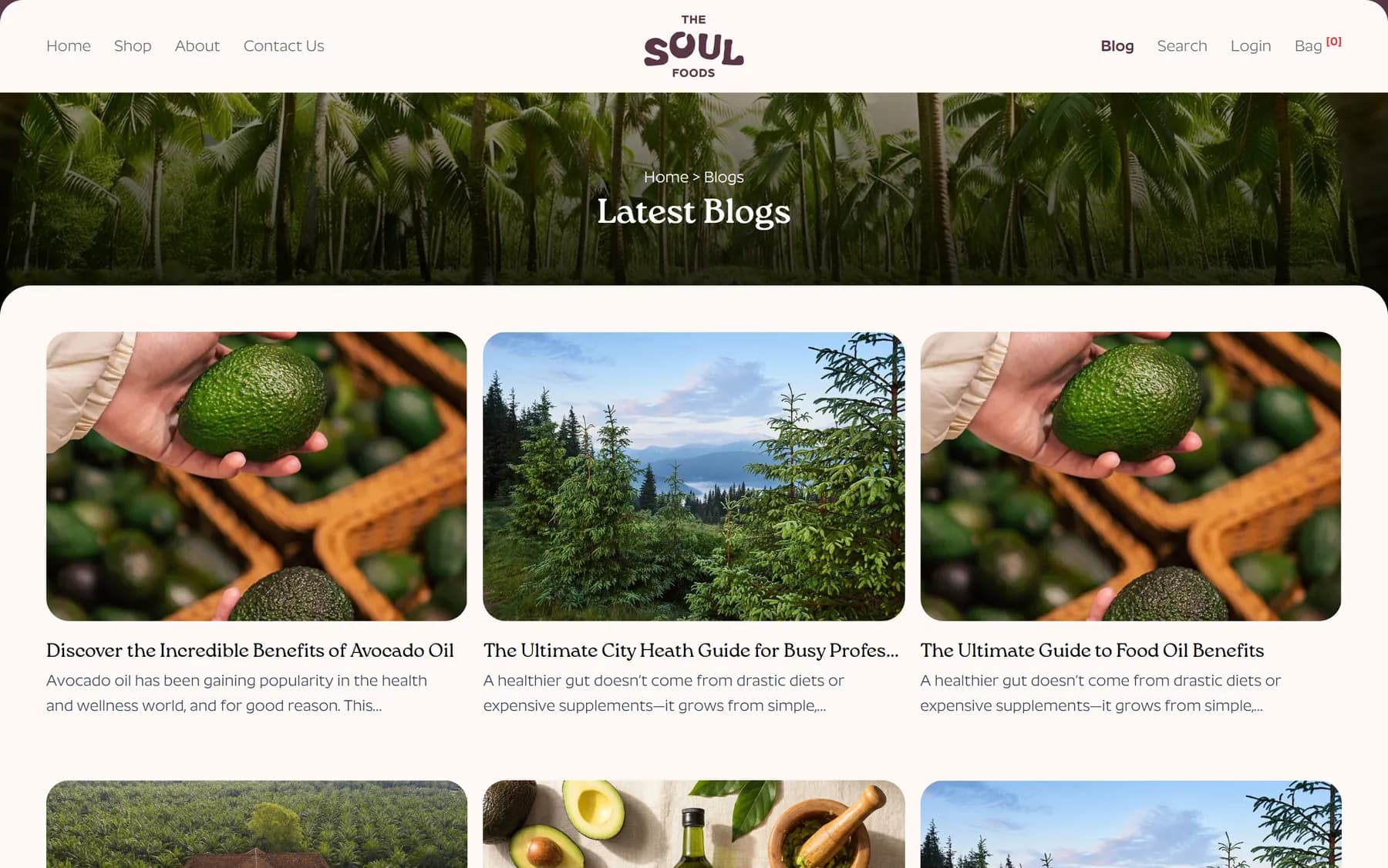
The blog, pulled from Shopify
On a phone, where most of the traffic is

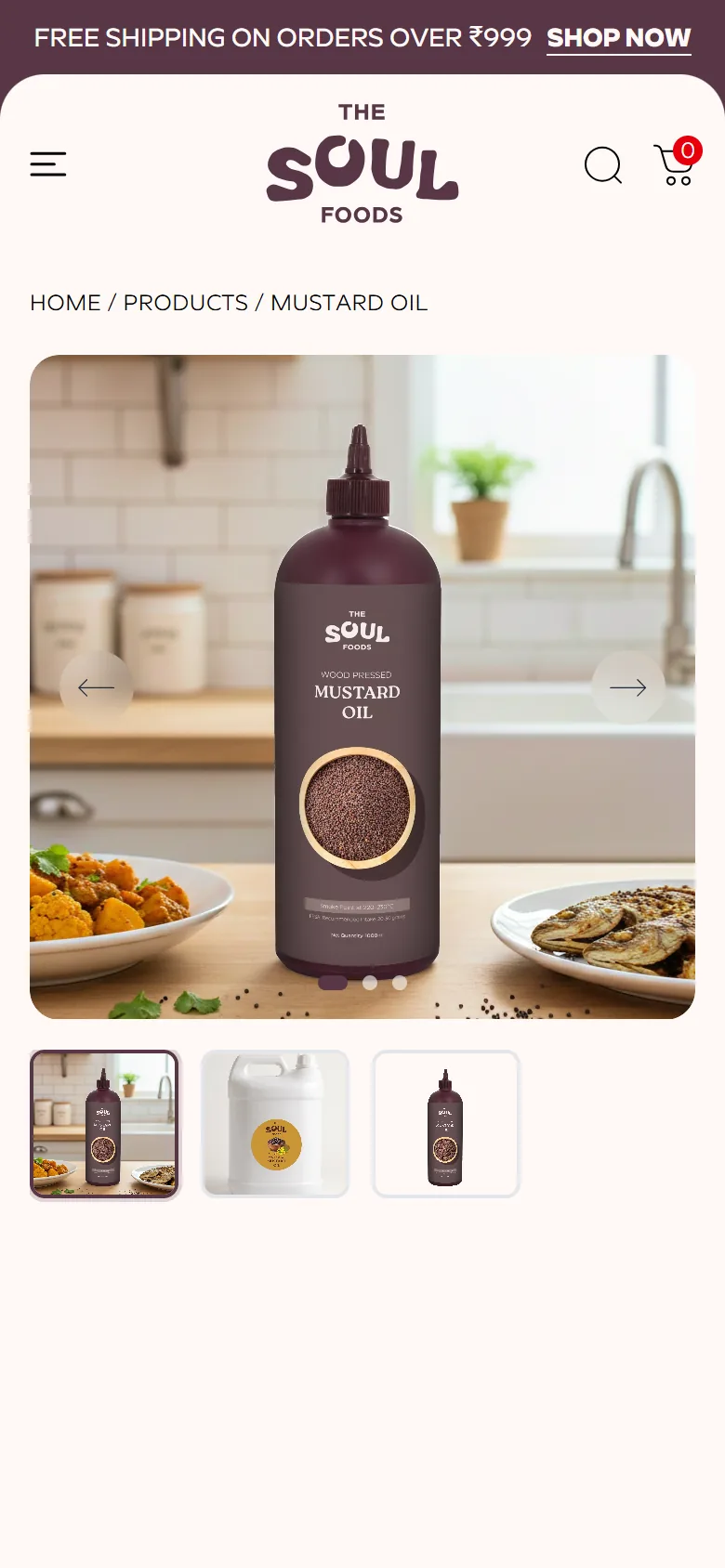
All seven oils are live at thesoulfoods.in in both sizes, selling through Shopify checkout, with filters and sorting on the collection page, Judge.me reviews on the products, OTP accounts with order history, and a blog. The founders set pricing, discounts, the ₹999 free-shipping rule and the announcement bar from the Shopify admin, and fulfil orders there too, so nothing routine needs a developer. The storefront itself is entirely the brand's own — the design is not bounded by a theme, and the oils are presented by what they are for rather than as seven rows of the same bottle.
Scope
Storefront design, Headless Shopify build, Filtering, sorting & grid density, Customer accounts, Reviews with photo uploads, Webhooks & reconcile job, Contact & enquiry handling, Catalogue migration, Blog & SEO
Stack
Next.js, React, Tailwind, Zustand, Shopify Storefront API, Shopify Admin API, Supabase, Judge.me, Upstash Redis, Vercel
Couture store · 2026
A made-to-order couture label where nothing is sold off a shelf. I built a headless Shopify storefront that treats a size as a brief rather than a stock number, and keeps the shop, the studio and the WhatsApp line pointed at the same order.
- Client
- Ishikaa Jain
- Platforms
- Headless Shopify · Web
- Timeline
- Live, with releases since
- Year
- 2026

41
Pieces live, imported from the client's own workbook
₹9,000 – ₹1,52,000
Price range the catalogue has to hold
8
Measurements captured before a piece reaches the bag
Nothing in this catalogue is stock. A short kurta with flared pants is ₹9,000 and the Jhumar handwork mermaid skirt is ₹1,52,000, and every piece is cut after the order, not before it — the announcement bar says so outright: made to order, every piece cut to your measurements. That breaks the assumption a normal store is built on, where a size is a number in a warehouse and Add to Cart is the end of the conversation. At ₹1,52,000 the shopper does not want a checkout, she wants a fitting, a fabric in her hand and someone who will tell her what can be changed. Almost all of that was already happening on WhatsApp and in the studio, so a website that could only take card payments would have been a brochure sitting next to the real business. The site had to carry a measurement, a question and an appointment as seriously as it carries a transaction. And it had to do all of it while Ishikaa, not a developer, stays in charge of what the home page says.
- 01
I built the storefront as a headless Next.js 15 app on Vercel reading the Shopify Storefront API, and left Shopify as the till, the catalogue and the admin. The tradeoff is that I own every page — a theme would have given me a product page for free — but a theme's product page is exactly the part that could not stay standard here.
- 02
Add to Cart does not add on the first press. It opens a measurement sheet with eight fields — chest, waist, hip, inseam, shoulder, sleeve length, bottom, armhole — pre-filled from the chosen size, and only finishes the add once she saves. Measurements are the order, so they are collected while she is still looking at the garment rather than chased over email a week later.
- 03
Those values travel as cart line attributes named with a measurement. prefix, which the server action filters on and Shopify shows as labelled rows against the order line. It also fixes a real bug: most pieces are a single Shopify variant with the size carried in the attributes, so without them the cart folds two sizes of one kurta into one line of quantity two while the order Shopify records has them as two.
- 04
"Visit store (book an appointment)" goes to an in-app route under the product, not to an external calendar. It carries the handle and the chosen size through, so the booking page shows that garment, prices the variant she actually picked rather than the cheapest one, and then mounts a Cal.com inline embed for ishikaajain/personal-appointment. The whole route is noindex — a booking flow tied to one product has no business in search results.
- 05
"Customise it" is a wa.me link with the message already written: "Hi, I'd like to customise: <garment name>". The number lives in one exported constant shared by the footer, the mobile menu and this button, because the way a customer ends up messaging a dead number is three copies of it drifting apart. It lands in the Interakt business inbox, not on someone's personal phone.
- 06
Every piece of merchandising copy lives in a Shopify metaobject rather than in the code: the announcement bar, the signup offer, the collection launch modal, the Instagram reel row, and contact form submissions. Each one has a setup script that sets access.storefront to PUBLIC_READ and turns on the publishable capability — the first because a metaobject is invisible to the Storefront API without it and fails silently, the second because Active/Draft then doubles as the on/off switch with no custom boolean and no deploy.
- 07
The launch modal's copy can contain {collection} and {discount} tokens, resolved at render from the referenced collection and the live Shopify discount. Neither is stored as text, so renaming a collection or dropping a discount from 10% to 5% cannot leave the popup promising something checkout then refuses.
- 08
Navigation filters by tag, not by collection. A piece is women's and a kurta set and georgette and party wear all at once, and a collection per combination would be unmanageable, so the mega menu composes queries like tag:"women" AND tag:"kurta-set". Each tag is quoted because Shopify's search syntax reads a bare hyphen as an operator and hyphenated tags are the norm here.
- 09
The client had already filled a Google Sheets workbook with one tab per product, labels down column A. Rewriting 24 tabs into my flat CSV template was the other option; meeting their format was the cheaper side to bend, so the importer reads both and dispatches on file extension. It tolerates "Rs 35000", "Rs. 60,000" and "Rs 1,52,000" by stripping every separator instead of interpreting it, because that last one is Indian grouping for 152000 and naive parsing reads it as 1.52. Each product goes in as one productSet call, which upserts on handle, so the corrected sheet the client always sends after the first pass updates the products instead of duplicating them.
- 10
Where the workbook was thin, I derived rather than invented. Gender and garment type come out of fixed positions in the SKU (IJ-MTO-W-3PC-001-GL-XS → women, and 3PC broken by the title because five are kurta sets and one is a skirt set), fabric from words in the free text, occasion from the category. All of it is written into a flat review sheet marked as derived, so a wrong guess is a cell the client corrects rather than a bug I have to chase.
- 11
The Admin API credentials are a Dev Dashboard app, which is issued a token that expires in 24 hours rather than a long-lived shpat_ one. So the token is exchanged with the client credentials grant, cached with a 60-second margin so a request cannot pick one up mid-expiry, and guarded by a single in-flight promise so a cold instance does not fire one exchange per concurrent caller.
- 12
Indexing is gated on purpose. The canonical origin comes from one environment variable that every canonical URL, OG image, JSON-LD @id and the sitemap derive from, so moving the site to its own domain is a dashboard change rather than a release. While the flag is off, robots.txt still allows crawling but publishes no sitemap — a blocked page can never be read, so Google would never see the noindex and could index the bare URL anyway.
- Reading the business before the brief
I started from where the selling already happened: Instagram, WhatsApp and the studio in Mumbai. That is what decided the shape of the product page — measurements, an appointment and a customise message sit beside Add to Cart rather than behind a contact form. The commerce plumbing was the easy half.
- Getting the catalogue in
The 41 pieces arrived as a workbook with one tab each and no taxonomy. I wrote an importer around the client's format, then a second script that flattens every tab into one reviewable row and fills in the gender, garment, fabric and occasion columns the navigation needs. Everything imports as draft, because nothing should reach a live storefront on the strength of a parsed spreadsheet.
- The product page
This is the page the project lives or dies on. The measurement sheet gates the add, the size follows the shopper into the appointment route, Judge.me supplies the rating badge, and the accordions read fabric and policy text out of Shopify metafields with honest fallbacks when a field is empty. Size runs XS to XXL with per-size defaults so nobody faces eight blank boxes.
- Booking, under the product
I resisted linking straight out to Cal.com. A bare calendar loses the garment, so the appointment route rebuilds the piece — image, price for the selected size, boutique, duration, what the session includes — next to the inline embed. The namespace, event slug and mount id all derive from one booking config, which stopped two components pointing at two different Cal accounts.
- Handing the content over
Then I moved everything Ishikaa would want to change out of the code: the announcement lines, the signup offer, the launch modal, the reel row, the home collections. Each has a documented setup script and is edited in Shopify admin → Content → Metaobjects. Collections are smart collections driven by tags, so a new piece files itself instead of relying on someone remembering.
- Syncing and SEO
One webhook URL takes every topic, verifies the HMAC, and busts the matching Next cache tag for products, collections and discounts; customer events sync into Supabase with failures recorded rather than dropped. Each page declares its own canonical through a shared helper, since without one every page silently inherits the home page's and claims to be it.
- Holding it at the gate
The store is live at ishikaajain.com. Search indexing is the one switch still to flip: the deployment is serving the real domain but the canonical origin and the indexing flag are still set to the development values, so the store is invisible to Google until those two environment variables are updated.
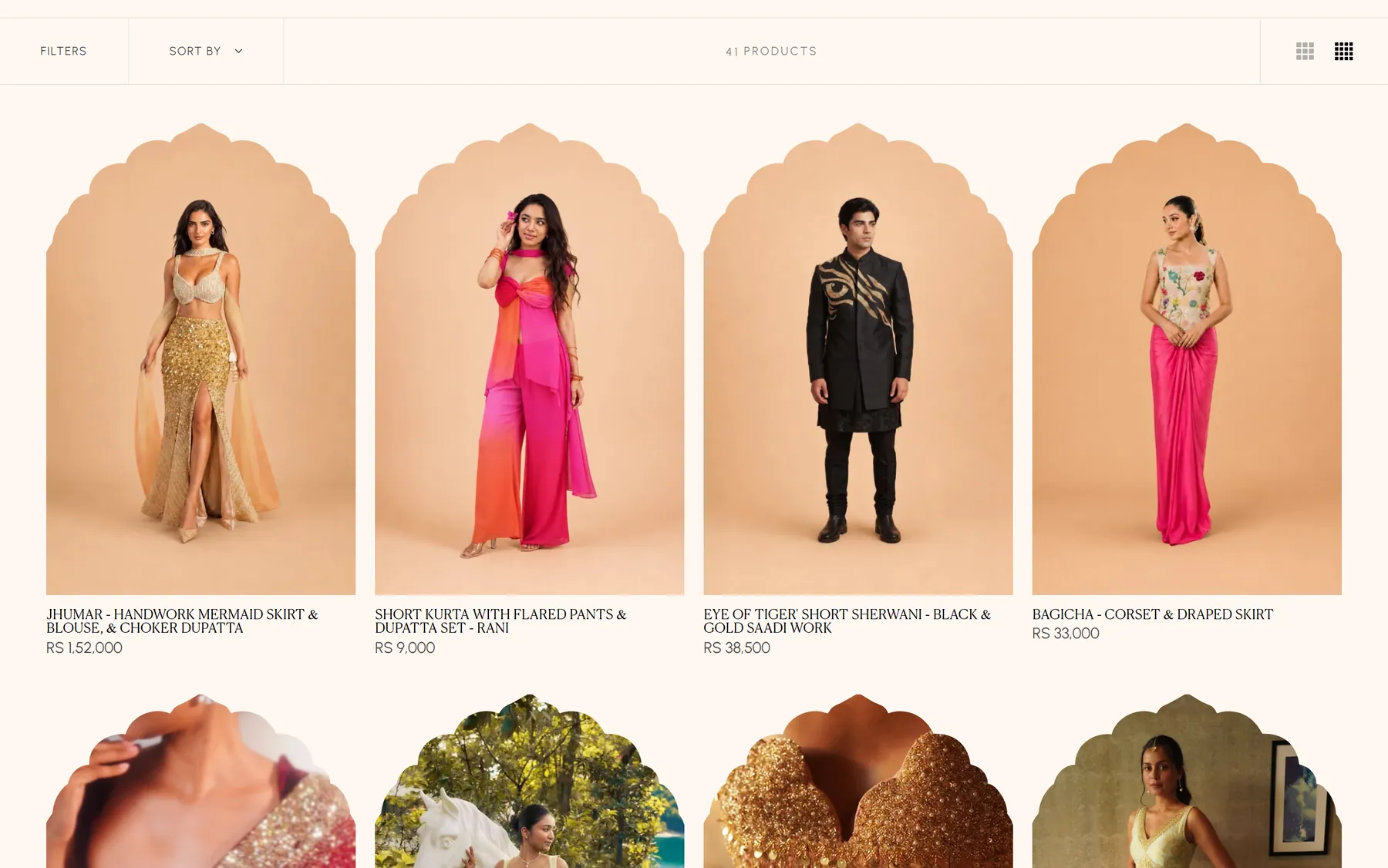
41 pieces in arch-framed cards, from a ₹9,000 kurta set to a ₹1,52,000 mermaid skirt
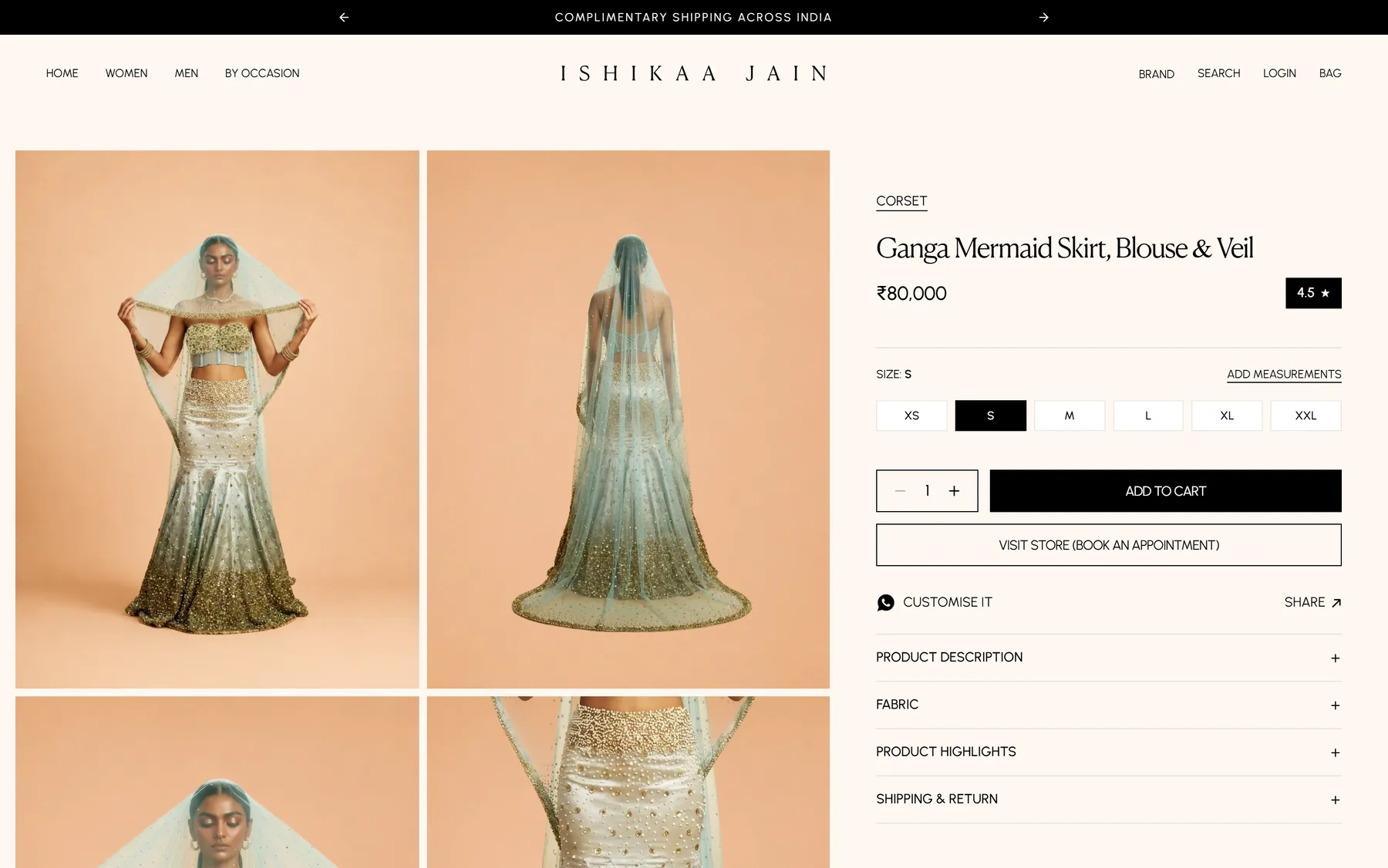
A product page: sizes XS to XXL, add measurements, book an appointment, customise on WhatsApp
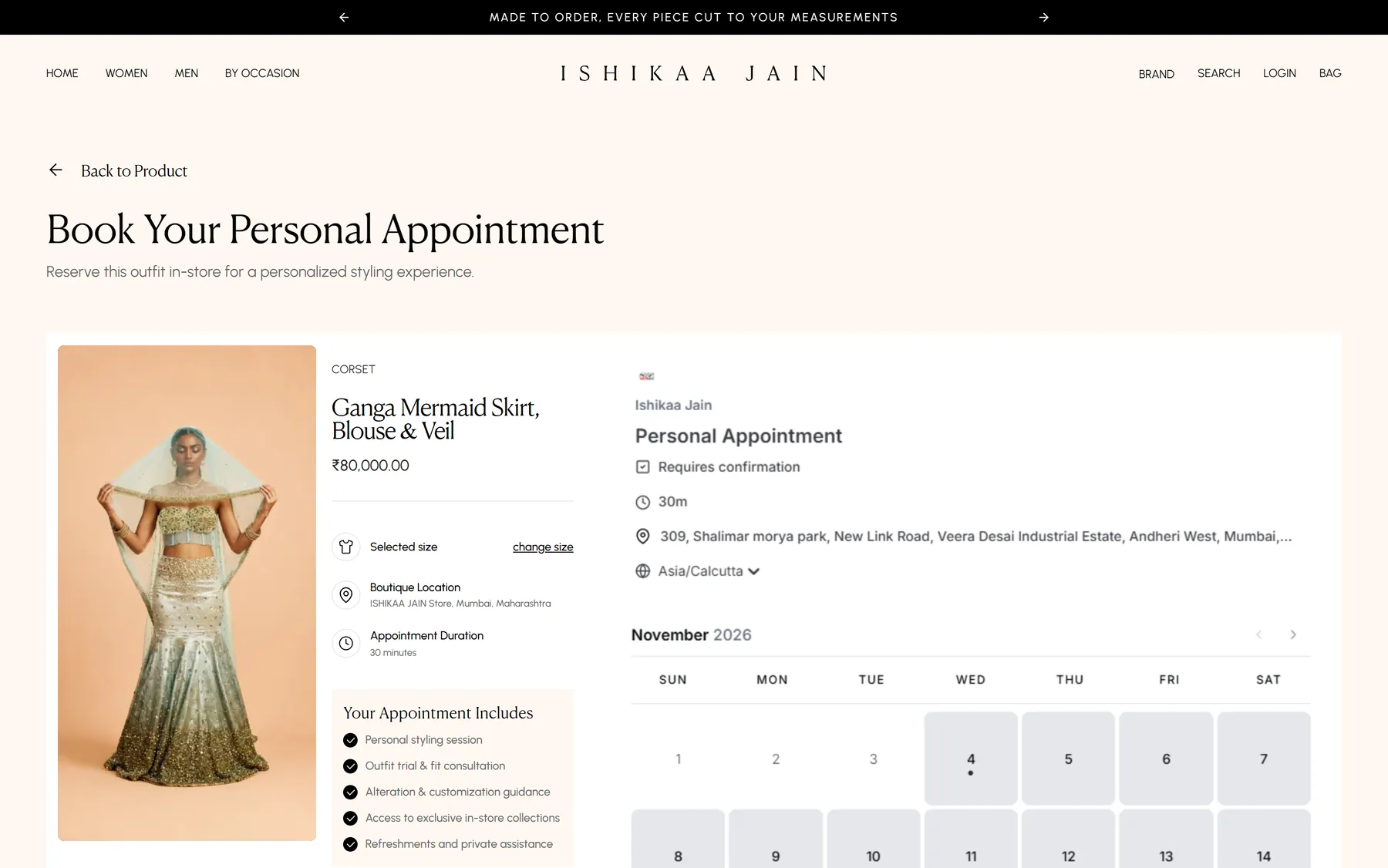
The appointment route, with a Cal.com slot scoped to that one piece

The lookbook, mixing runway video with campaign stills

The brand story page
On a phone, where most of the traffic is


The store is live at ishikaajain.com, with all 41 pieces up and every price from ₹9,000 to ₹1,52,000 rendering with Indian grouping. A shopper can pick a size, give her measurements, and either add the piece to the bag with those numbers attached to the order line, or book a 30-minute fitting for that exact garment at the Mumbai store, or open WhatsApp with the customisation message already written. Ishikaa can change the announcement bar, the offer, the launch modal and the Instagram row from Shopify admin without me, and a corrected product sheet can be re-imported over the top of the old one without duplicating anything.
Scope
Headless storefront architecture, Product page and made-to-order flow, Measurement capture to Shopify order line, Per-product appointment booking, Spreadsheet-to-Shopify product import, Shopify metaobject content model, Tag-based catalogue navigation and filters, Customer accounts and email OTP auth, Cart, checkout handoff and discounts, Reviews integration, Webhooks, caching and cache invalidation, Technical SEO and structured data
Stack
Next.js 15 (App Router), TypeScript, Tailwind CSS, Shopify Storefront API, Shopify Admin GraphQL API, Shopify metaobjects and metafields, Supabase (auth and sync), Cal.com embed, Judge.me, Upstash Redis, Zustand, Framer Motion and GSAP, Vercel
Need a new website? Tell me about it and I'll send you a price.
- Projects from $500
- 3+ years
- Reply within one business day
- Free, no obligation
Business websites
Home, services, about, case studies and contact pages, designed around what you sell rather than poured into a theme.
Landing pages
Single pages for a launch or an ad campaign, built to load quickly and turn visits into enquiries.
A CMS you can use
Text, images, blog posts and team pages live in a headless CMS, so you can update them yourself in a simple editor.
SEO and speed
Proper titles, structured data, clean URLs, a sitemap and images kept light, so pages open fast on 4G and Google can read them.
Forms and integrations
Contact forms, WhatsApp buttons, booking tools and leads sent straight into your CRM or inbox, with analytics and ad tracking wired up.
Hosting and handover
Domain, hosting on Vercel and email set up under your own accounts, then a walkthrough so you know how everything works.
- 01Week 1
Understand
We talk through the idea, who it's for and what a good result looks like.
- 02Weeks 2–3
Shape
Flows, wireframes and a clickable prototype, while changes are still cheap.
- 03Weeks 4–10
Build
Design and code in one-week cycles, with a new test build most weeks.
- 04Ongoing
Launch and after
Store release, monitoring and regular improvements once people start using it.
It depends on how many pages are custom, whether you need a CMS and what it has to connect to. Tell me what the site needs to do and I'll send a fixed price before any work starts.
WordPress is fine for a simple blog with lots of plugins. A custom Next.js site is faster, harder to break and has no plugin updates to babysit, which is why I build most business sites that way.
Yes. Pages are connected to a headless CMS, so you change text, images and posts in a simple editor and the site updates on its own. No code involved.
A landing page can be ready in one to two weeks. A full business site with a CMS usually takes three to six weeks, depending on how many pages and integrations it has.