I build custom Shopify stores, including headless storefronts made with Next.js and Shopify's Storefront API, with Shopify checkout. I've built more than 30 Shopify stores over three years. Here is how I think about the extra cost when an Indian brand asks whether it should go headless.
The short answer: if a well-chosen theme can show your products and get customers to checkout, start there. Go headless when you can name the experience or business requirement that the theme cannot handle cleanly.
What headless means in practice
A theme store uses Shopify for the storefront and checkout. You choose a theme, set its colours and sections, add products, and configure the store in Shopify admin. A developer may still customise the theme, but the storefront and commerce system are part of the same Shopify setup.
In a headless store, the storefront is a separate website. In my Shopify work that means a Next.js storefront gets product and collection data from Shopify's Storefront API, then sends the shopper to Shopify checkout. Shopify still holds the products, orders and day-to-day admin. The custom part is the customer-facing site and the connection between it and Shopify.
Headless does not mean checkout is custom. The examples in this guide use Shopify checkout, while the pages customers browse are custom-built.
The cost difference in India
A theme project usually has fewer custom parts to design and build. Headless needs a separate storefront, data fetching, product and collection templates, cart behaviour, checkout handoff, and a way to preview and update content. That is more engineering before launch, and more things to maintain after it.
I quote Shopify stores in India from ₹60,000. My quote form groups budgets as ₹60,000–₹1.5 lakh, ₹1.5–4 lakh, ₹4–12 lakh and ₹12 lakh+. Those are budget bands, not a promise that every theme or headless project fits a particular band. I agree a fixed scope and price before work starts, after we have defined the pages, integrations and product experience.
| Cost area | Theme store | Headless store |
|---|---|---|
| Storefront build | Theme setup and any scoped customisation | Separate Next.js storefront and Shopify data connection |
| Product experience | Theme sections and templates, with their limits | Custom product, collection and editorial layouts |
| Checkout | Shopify checkout | Shopify checkout, with a tested handoff from the custom site |
| After launch | Theme and store upkeep | Store upkeep plus storefront code, hosting and integration upkeep |
Ask for a scope, not just a number. The proposal should tell you which page templates are included, how many products or variants are being set up, which payment and shipping services are connected, who adds the catalogue, and what support covers after launch. That is how you compare two quotes without discovering later that product entry, mobile layouts or checkout testing were assumed to be yours.
What you gain, and what you take on
| Theme | Headless | |
|---|---|---|
| Design control | Good within the theme's structure | More freedom over the storefront |
| Admin work | Store and storefront settings in Shopify | Products and orders in Shopify; some site changes may need a developer |
| Build complexity | Lower for a standard catalogue | Higher, with a separate codebase and integration |
| Good fit | A brand that needs a clear store up and selling | A brand with a distinct product journey or storefront requirement |
The biggest headless misconception is that it automatically makes a store faster or sells more. It gives you control of how the storefront is built. Speed and sales still depend on the pages, images, code, offer, trust and fulfilment behind the experience. A slow custom site is still slow, and a clean theme store can work well.
For an Indian store, also write down what happens after the order button. Which payment methods will you offer? Is cash on delivery part of the plan? How will shipping rates, tracking and returns work? These details belong in the scope whichever storefront you pick. Headless does not solve them by itself.
When a theme is the right call
Choose a theme when your catalogue is straightforward, the product page can show the details customers need, and the buying path does not need unusual logic. It is also a good fit when your team wants to change banners, collections and basic page sections without asking a developer every time.
- You are validating demand and want to spend on inventory, photography and customer acquisition first.
- Your products fit standard product and collection pages.
- Your team is comfortable using Shopify's theme editor for routine updates.
- The budget does not leave room for a separate storefront and ongoing technical upkeep.
You can still make a theme feel like your brand. Good product photos, clear sizing and ingredients, useful delivery information, and a checkout people trust will matter more than a custom stack. I would start with the theme and keep a list of specific limitations customers or staff actually hit before paying to replace it.
When headless earns its cost
Headless makes sense when a store needs a customer journey that is awkward in a theme and important enough to justify custom work. That can be an editorial product presentation, a special selection flow, or product information that has to be arranged around how someone buys. Be precise: 'I want a premium site' is not a requirement a developer can estimate.
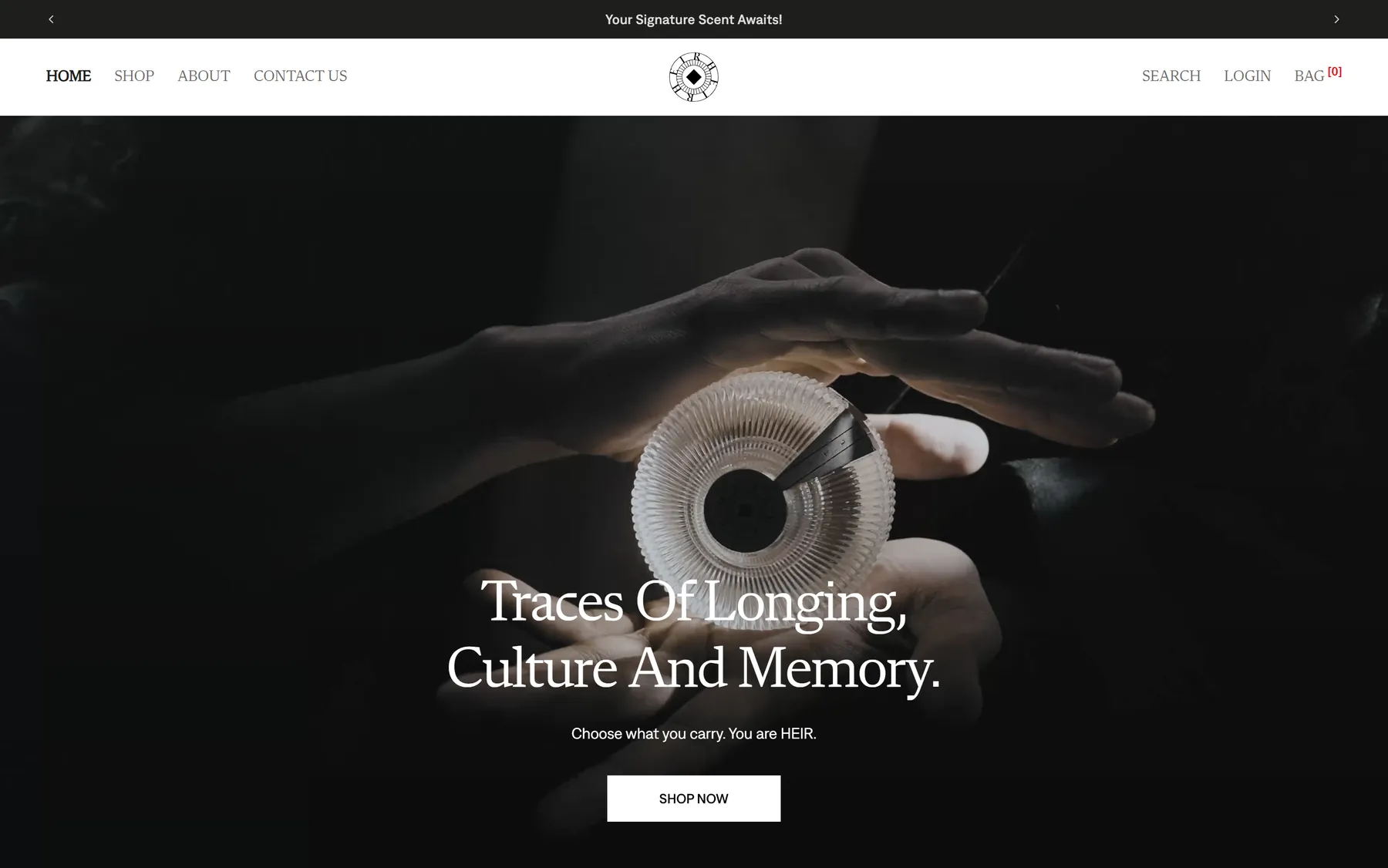
For HEIR, I built a headless Shopify fragrance store for a debut collection of six products: five 50ml fragrances at ₹4,500 each and a ₹1,200 discovery set. The client runs everything from Shopify admin. That is a useful example of a custom presentation with a compact catalogue, while product and order operations stay in Shopify.
For Ishikaa Jain, the store is for a Mumbai couture label with 41 made-to-order garments, and body measurements are carried onto the order. That sort of product-specific detail can justify custom storefront work because the garment and order flow need to fit how the label sells. For a standard t-shirt catalogue, it may not.
The Shopify development service can cover either direction. The right decision comes from the pages and behaviours the store actually needs, not from the word headless on a proposal.
A practical way to choose
- Write down the pages you need: home, collection, product, about, shipping, returns and any special landing pages.
- List the buying steps, including variants, measurements, bundles, subscriptions or custom notes if you need them.
- Ask whether a theme can support each requirement without a fragile pile of custom code.
- Decide who will update campaigns and content. If every change needs code, include that dependency in the plan.
- Compare the initial build and ongoing upkeep. Keep budget for photography, catalogue work and fulfilment setup too.
If the only reason for headless is that another brand uses it, choose a theme for now. If you can point to a product experience a theme cannot deliver cleanly, describe it in a short brief and get a fixed-scope quote. A store usually goes live in one to two months, depending on the agreed scope and how quickly product content and decisions are ready.
You can start with a theme and revisit headless when a real limitation appears. The useful question is whether that limitation is costing customers, staff time or a meaningful part of the brand experience.